Charcoal Player is back. Add your practice folder once, and your library stays exactly where you left it — through restarts, through updates. No ads, no account, no data collection: your music never leaves your Mac. And in this release, everything is free.

TAKE THE SOUND APART
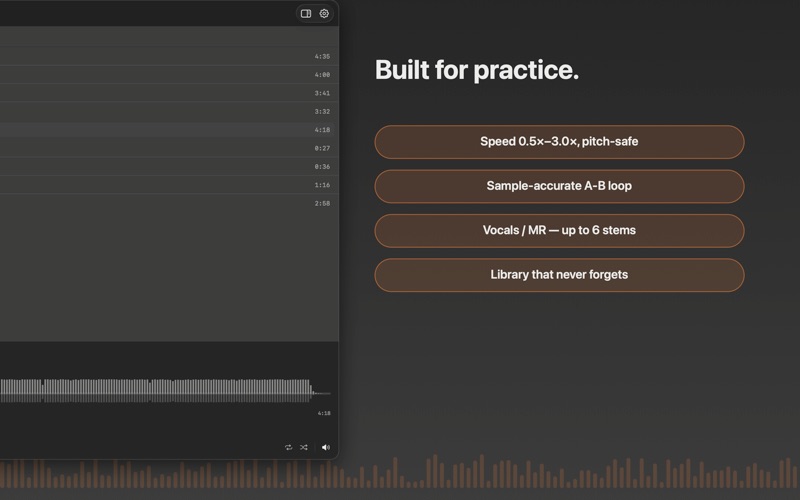
Play any song and split it into vocals, drums, bass, guitar, piano — up to 6 stems, processed entirely on your Mac. Keep only the vocals to learn a melody, or mute them for an instant MR / backing track. Meetings, interviews, and lectures get automatic speaker lanes instead, so you can follow — or isolate — every voice in the room.

CLEAN, PITCH-PRESERVED SLOW-DOWN
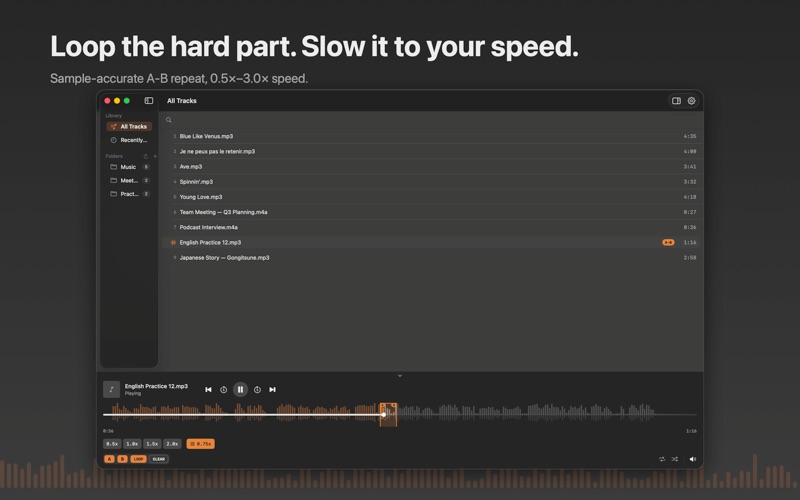
Practice at 0.5×–3.0× speed without the chipmunk-or-monster effect. Built for transcription, dictation, ear training, and slow practice of anything you're learning by ear.

SAMPLE-ACCURATE A-B LOOP
Mark a phrase, hit repeat, and it loops exactly — no drift at the boundary. One key for A, one for B, one to toggle the loop.

YOUR LIBRARY, PROTECTED
If a folder ever goes offline — an external drive unplugged, a permission that needs re-confirming — Charcoal Player never deletes your tracks. They're marked, not removed, and reconnecting takes one click.

KEEP WHAT YOU ISOLATED
Export any combination of stems or speakers — in original quality, or your pick of format (MP3, AAC, ALAC, WAV, AIFF, FLAC).

BUILT FOR THE MAC
Full keyboard shortcuts, custom-second skip (0.5–30s), a proper menu bar, 12 languages, and a window that resizes the way you want it to — not a phone app stretched onto a bigger screen.