



Description
Codex Calc is the calculator for the rest of us: easy and intuitive, without sacrificing power and capabilities
Codex Calc is the calculator for the rest of us: easy and intuitive, without sacrificing power and capabilities.

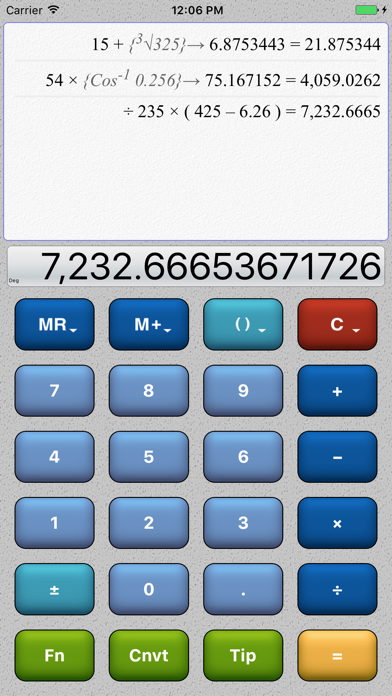
Calculator • Unit Converter • Tip Calculator • RPN Mode • Full Scientific • History Tape

All the power you need, wrapped in a beautifully designed interface that's simple without being simplistic.


ADAPTS TO YOU

Do you like big buttons, or small? Like minimalist interfaces, or are you a fan of bright and flashy? Prefer small fonts to see more detail, or big text and easy to read buttons? Codex Calc adapts itself to the way *you* like to work.


FEATURES

Everything you'd expect, plus:
• History tape records all entries and calculations
• Full suite of standard and scientific calculator functions
• Unit conversion mode for forward and reverse conversions
• Full tip calculator mode - taxes, tip, per-person amounts
• RPN mode fully integrated
• Rotation lock and sound on/off toggles
• Seven different professionally designed visual themes
• Multi-number memory and full set of memory-store operators
• Full control over history tape font size
• Single and multiple-line history tape formats
• Large and small button sizes
• Settings for customization (number formatting, behavior of clear key, display of calculation details, much more)

Calculations:
• Trig functions in degrees and radians
• Log and power/exponentials
• Scientific notation / exponent mode
• Rounding and truncating
• Random number generation
• Parenthesis and sub-expressions
...and more!


INTUITIVE TOUCH INTERFACE

Take full advantage of your device's capabilities:

• Overlays - rather than making buttons smaller to fit more, Codex Calc uses intuitive overlays on the existing buttons.

• Popup Menus - hidden until you need them, pop-up context menus give you more power when the default action isn't quite what you need.

• Zoomable History Tape - Tap the history tape to expand for more detail, change the font size, copy contents to clipboard, or forward as an email. View as single-lines to save space, or use multi-line view for more detail.

• Multiple Flexible Layouts - Portrait and landscape, large and small buttons, and seven different graphical themes.

• Easy-Touch Everything - Codex Calc's entire design approach revolves around "touch to activate." Tap the tape to see it bigger, swipe to scroll, long-press a button for more options, tap the display to copy or paste, etc.
分类: 工具(185746)
版本: 1.5.1
BundleId: com.7thcodex.codexcalc
开发者: Driftwood Studio Software LLC
最近更新: 2024-12-09
