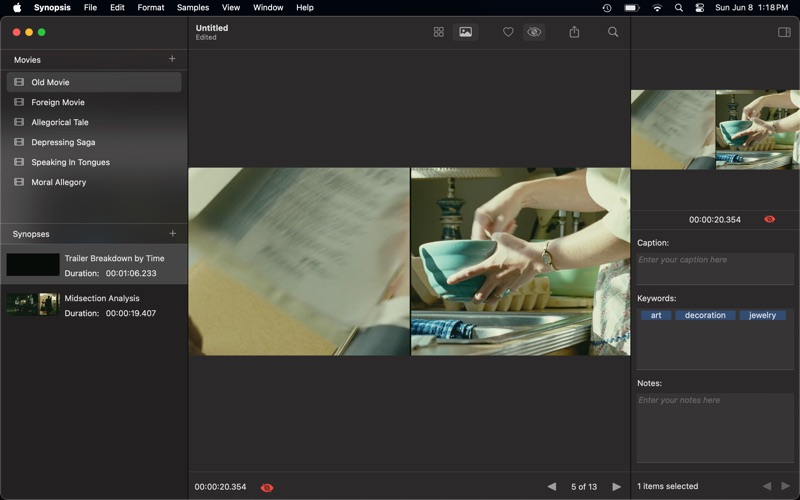
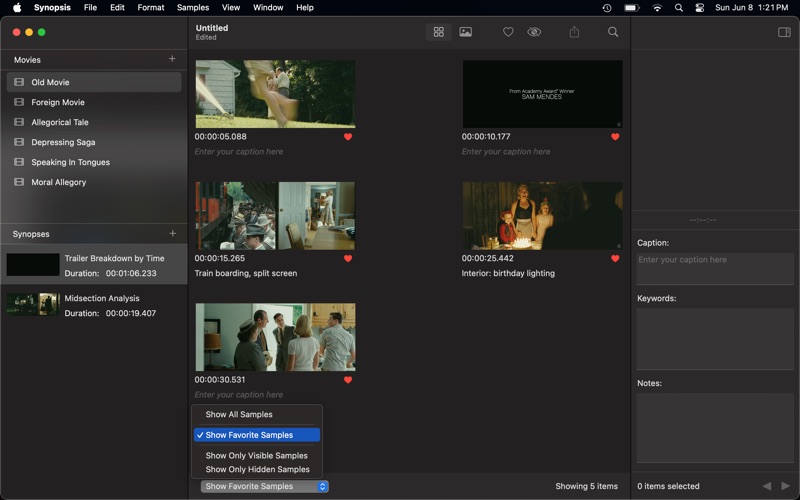
Synopsis MV lets you extract, tag, organize, and annotate selected frames from a segment or the entirety of your digital video resources
Synopsis MV lets you extract, tag, organize, and annotate selected frames from a segment or the entirety of your digital video resources. These selected frames give you a visual overview of the action in your clips. Use filtering to restrict the collection of frames based on your annotation text or added keywords. Enhancce collaboration by printing or exporting a contact sheet to share your observations.

Synopsis MV is perfect for video editors, colorist, visual effects artist, entertainment professionals, advertising and marketing, television and movie studios, creative agencies, and many others.

Features Include:

• Project Management
Project documents can reference mulitple videos enabling you to easily keep related files together.

• Simple Extraction
Extract frames from a segment of your video using either a time-based or count-specific formula.

• Keywords
Tag frames with keywords to enhance the ease of searching for related content.

• Filtering
Filtering lets you display only the frames with keywords or annotations that meet your criteria.

• Interoperability
Drag'n'drop (or copy) high-resolution images directly from Synopsis to another application or the Finder.

• Printing
Print high-resolution source material with or without captions and annotations.

• The Big Picture
View your filtered images full screen for quick visual inspection and analysis.

• Sharing
Share images and contact sheets with local applications and other popular internet services.

---

See Terms of Service:  https://www.apple.com/legal/internet-services/itunes/dev/stdeula/