I was finishing my thesis and needed to add bleed margins for professional printing
I was finishing my thesis and needed to add bleed margins for professional printing. I searched everywhere - the established paid solutions gave terrible results, and there was simply no good tool for this basic task.


So I built Fond Perdu.


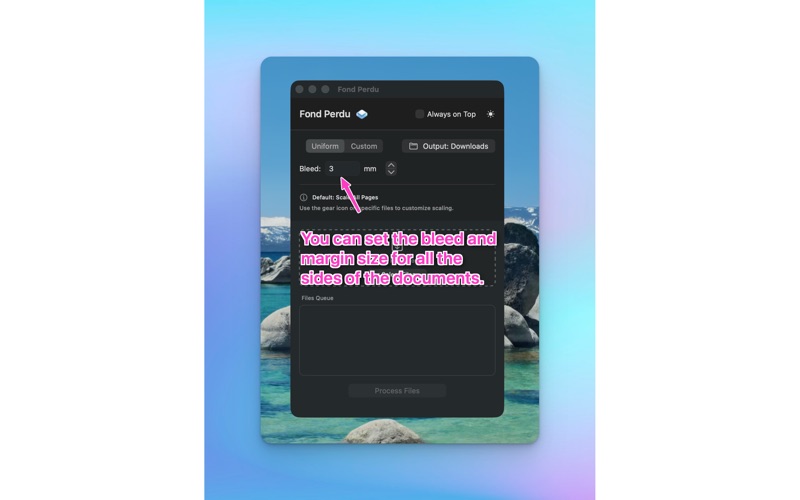
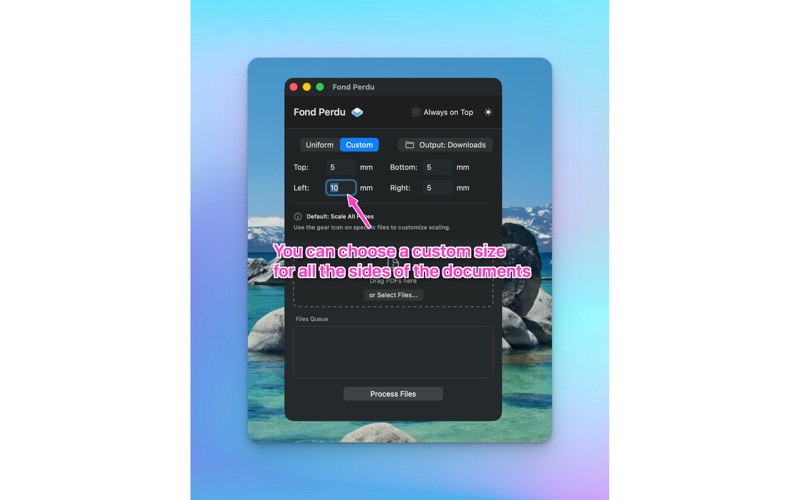
It does one thing perfectly: adds precise bleed margins and crop marks to your PDFs, making them print-ready in seconds. Drag and drop your files, set your bleed size (uniform or custom for each side), and you're done.


I'm selling it for the price of a cup of coffee because that's exactly what I would have been happy to pay for it.


Features:
•	Professional Precision: Hairline crop marks (0.25pt) and smart alignment to the PDF TrimBox for pixel-perfect results.
•	Smart Batch Processing: Drag in multiple files and they are instantly ready to scale.
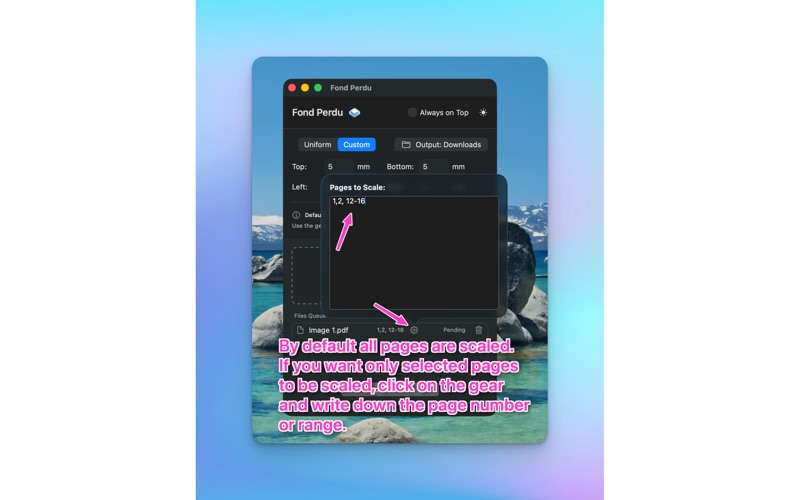
•	Flexible Control: Defaults to scaling all pages, but you can easily override specific pages (e.g., "1, 3-5") for any file using the gear icon.
•	Custom Bleeds: Add uniform or custom margins (top, bottom, left, right).
•	Privacy First: Files are processed 100% locally on your Mac - no uploads, no data collection.
•	Designed for Mac: Light/Dark mode, drag and drop, and a compact "Always on Top" window.


How to Use:

1.	Drag & Drop: Drop your PDF files into the app.
2.	Set Bleed: Choose your bleed size (e.g., 3mm).
3.	Customize (Optional): By default, the app scales all pages to fit the new bleed area. If you only need to scale specific pages (like cover pages with full-bleed images), click the Gear Icon on the file and type the page numbers (e.g., "1, 4").
4.	Process: Click "Process Files" and your print-ready PDFs will be saved to your Downloads folder (or custom location).


Perfect anyone preparing documents for print.


"Fond Perdu" is the French printing term for bleed - the area beyond the trim line that gets cut off during finishing.