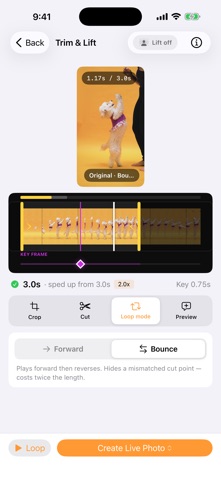
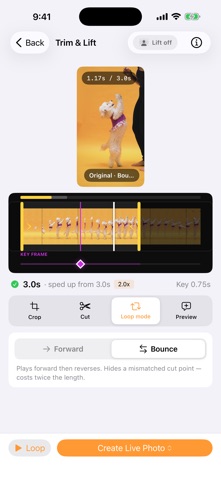
Peel turns your videos into animated stickers in seconds. Pick a video, trim it down, choose your key frame, and Peel creates a Live Photo you can use as an animated sticker in Messages, Notes, and anywhere else iOS supports them.

HOW IT WORKS
1. Import a video or GIF from your library or files
2. Trim to the perfect 1–3 second loop
3. Crop, cut, and loop until it's just right
4. Pick the key frame that represents your sticker
5. Save — Peel writes a proper Live Photo to your library
6. Long-press it in Photos or Messages to add as a sticker

FEATURES
- Simple workflow — most stickers created in under a minute
- Crop, rotate, and flip in a full-screen editor — what you frame is what you export
- Cut awkward moments out of the middle of a clip
- Bounce loops that play forward then backward, so the loop never jump-cuts
- Sticker-size preview: see your sticker at the size people actually receive it
- A timeline built for real footage — pinch to zoom, drag to scan, and trim precisely inside a long video
- Manual key frame selection on its own filmstrip row — frame-accurate, never fighting the trim handles
- Adjustable playback speed (1x–3x)
- Audio toggle for silent or sound-on Live Photos
- Project history so you can revisit, rename, and recreate past stickers
- GIF import and GIF export
- Share Live Photos straight from the app
- Subject lift preview powered by iOS Vision framework
- Works on iPhone and iPad

NO ACCOUNT REQUIRED
Peel works entirely on your device. No sign-up, no cloud uploads, no tracking. Your videos stay yours. Peel uses Apple's native Live Photo format, so your animated stickers work everywhere iOS supports them — no extra apps needed.