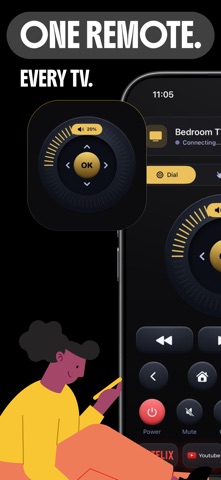
Lost the remote again? Your phone can control your TV in under a minute — no extra hardware, no cables, no pairing codes.

Dead batteries, a remote buried in the sofa, four clickers on the coffee table and none of them the right one. Smart Remote replaces all of it with the device already in your hand.

HOW IT WORKS
1. Put your phone and TV on the same Wi-Fi network
2. Open Smart Remote and tap your TV when it appears
3. That's it — full control, straight from your screen

WHAT YOU CAN DO
- Power on and off without getting up
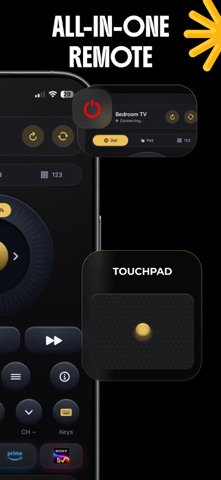
- Change channels and switch inputs instantly
- Adjust volume or mute with one tap
- Navigate menus and apps with a familiar D-pad
- Type in search boxes with your phone keyboard instead of pecking out letters one arrow at a time

BUILT TO BE FASTER THAN THE REAL REMOTE
Smart Remote opens and connects in seconds. No account, no sign-up, no setup wizard. Launch it, tap, done — because an app that takes longer than finding the remote isn't worth keeping.

WHY PEOPLE KEEP IT INSTALLED
- One app for every TV in the house
- Nothing to buy, plug in, or charge
- Works just as well in a hotel room as it does at home
- Controls streaming boxes and sticks, not just televisions

COMPATIBILITY
Works with most Wi-Fi enabled Smart TVs and streaming devices. If your TV connects to your home network, Smart Remote can most likely control it.

A NOTE ON INDEPENDENCE
Smart Remote is an independent app and is not affiliated with, authorized by, or endorsed by any television manufacturer. All product names and trademarks are the property of their respective owners.

Stop hunting for the clicker. Download Smart Remote and take control.

Terms of Use:
https://obsidian-tin-ee3.notion.site/Terms-Conditions-2e409a72d7508087926ef05141d232bb

Privacy Policy:
https://obsidian-tin-ee3.notion.site/Privacy-Policy-2e409a72d7508057ba12d0ca2708f2b4?pvs=73