Calendari is your calendar with a personal assistant that actually calls you. Manage your schedule by text or voice, get a call when it's time to leave — not just a push notification — and let your assistant make the calls you don't want to: booking a table, telling someone you're running late, or ringing you the moment an important email lands. Share plans with groups, see everything on a map, and keep it all in sync.

SMART CALENDAR
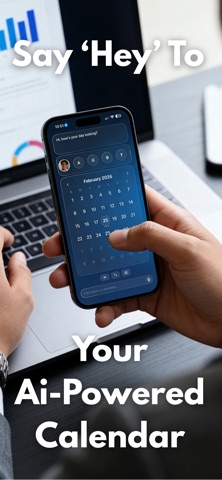
* Month view with events for the selected day; switch between your personal calendar and any group calendar.
* Tap a date to open a day view with events grouped by time (All Day, Morning, Afternoon, Evening).
* Create and edit events with title, date, start/end time, location, and notes.
* Mark events as completed; events are stored locally on your device.

AI ASSISTANT
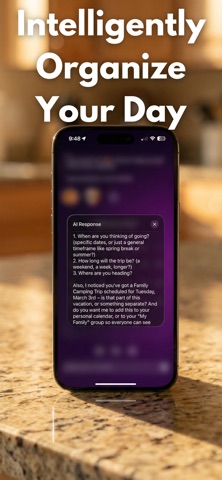
* Chat with an AI planning assistant by text or voice.
* Create events by natural language ("Add dentist tomorrow at 2pm," "Bible study at 7pm for the Bible Study group").
* Ask about your schedule: "What's on my calendar today?", "Am I free tomorrow at 4pm?"
* Planning and conflict checks: "Would next week be good for vacation?"
* Recurring schedules, bulk edits, and rescheduling by voice or text.
* Driving time between places, and suggested route order for multiple stops.
* English and Spanish, both by text and by phone.

PERSONAL PHONE ASSISTANT
* Get your own dedicated phone number for your assistant — call it anytime, or have it call you.
* Leave-by call reminders: instead of a generic alert, your assistant calls to tell you exactly when to walk out, based on real travel time.
* Calls businesses on your behalf — book a table, a haircut, or an appointment, then calls you back with what happened.
* Calls people for you — let someone know you're running late, or send one message to a whole group at once.
* Try it free: dial the demo line or have Calendari call you, no account required.
* Natural, human-sounding conversation.

EMAIL
* Connect your Gmail account (read-only) so your assistant can read messages aloud, search your inbox, and pull up a specific email in full.
* Watch for an email from someone specific — your assistant calls you the moment it arrives.

GROUPS AND COLLABORATION
* Each group has its own calendar; switch between Personal and any group from the bottom bar.
* Create or join a group with an invite code, or share a join link.
* Set who can add events to a group: everyone, admins only, or the owner only.
* Shared events sync automatically so every member sees them on the group calendar and map.

MAP AND LOCATION
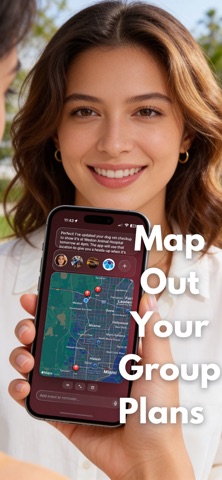
* See your event locations on a map, with pins colored by group.
* Tap a pin for directions.

NOTIFICATIONS
* Location-based "time to leave" alerts, timed using current traffic — as a push notification, or as a call from your assistant.
* Reminder timing the AI sets automatically based on the type of event.

ACCOUNT AND SYNC
* Sign in with your Apple ID; profile picture, display name, and your groups sync via iCloud.
* Delete your account anytime — this permanently removes your data, including from our servers.

PERSONALIZATION
* Five color themes with matching gradients and accents.
* English or Spanish throughout, including onboarding and the AI.

Personal Assistant is available as an in-app subscription. Pricing and terms are shown before you subscribe.