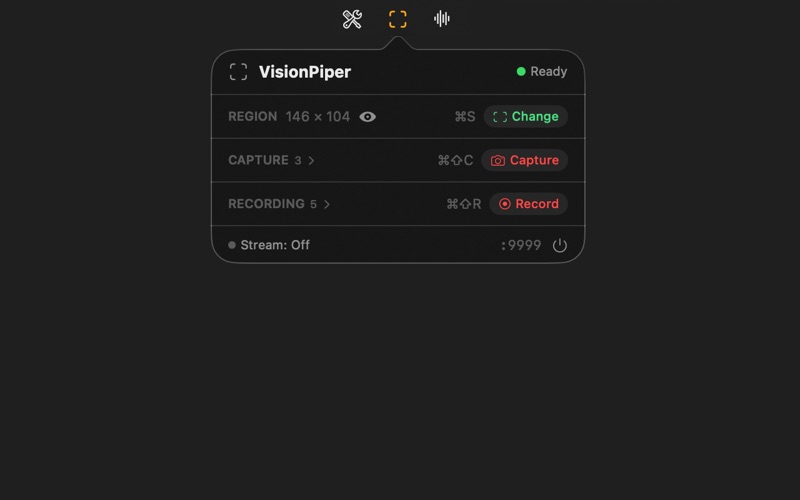
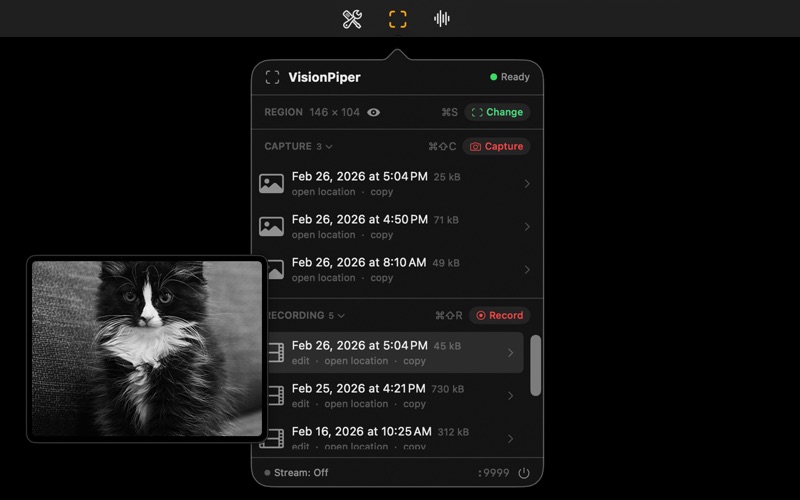
VisionPiper captures exactly what you need from your screen — no more, no less.

Draw a precise region on any display, then capture screenshots, record video, or stream live frames. Move the region while recording to use it like a steerable camera. Export as GIF, H.264, or HEVC with the built-in trim editor.
Built for professionals, MCP tools included, API and WS.

CAPTURE & RECORD
- Select any region on any connected display
- Take instant screenshots with a click or keyboard shortcut
- Record the selected region as H.264 MP4 video
- Move or resize the region during recording — the capture follows in real-time
- Recordings autosave to your screenshots folder

TRIM & EXPORT
- Trim recordings with a visual timeline scrubber
- Export as animated GIF with configurable fps and size
- Export as MP4 with H.264 or H.265/HEVC encoding
- All exports autosaved alongside the original recording

DEVELOPER TOOLS
- Full HTTP API on localhost — capture, record, and stream from any app or script
- Live 30fps video streaming via WebSocket
- Server-Sent Events for real-time state change notifications
- Change detection — capture only when content changes (hash-based)
- Multi-monitor support with display metadata in API responses

BUILT FOR macOS
- Lives in the menu bar — always one click away
- Click-through region border — everything inside the capture area works normally
- Visual feedback: capture flash, recording pulse, smooth animations
- Keyboard shortcuts for all common actions

Part of the ModelPiper ecosystem. AI-powered vision features are available with a ToolPiper subscription.