AI Video Studio is the all-in-one creative studio for your Mac. Generate cinematic AI videos, stunning images, and professional scripts — powered by the world's most advanced AI models.

Just type a prompt, choose your favorite AI model, and watch your idea transform into a high-quality video in minutes. No editing skills required.

— TEXT TO VIDEO —
Turn any text prompt into a cinematic AI video.
• Powered by Veo 3, Veo 3.1, Kling AI, Runway Gen-3, and Vizu 4.5
• Choose 16:9 landscape or 9:16 portrait
• Smooth progress tracking while your video generates
• Browse and use curated video templates with one click

— IMAGE TO VIDEO —
Upload any photo and bring it to life.
• Transform still images into dynamic video clips
• Describe the motion you want — zoom, pan, orbit, and more
• Works with all supported AI video models

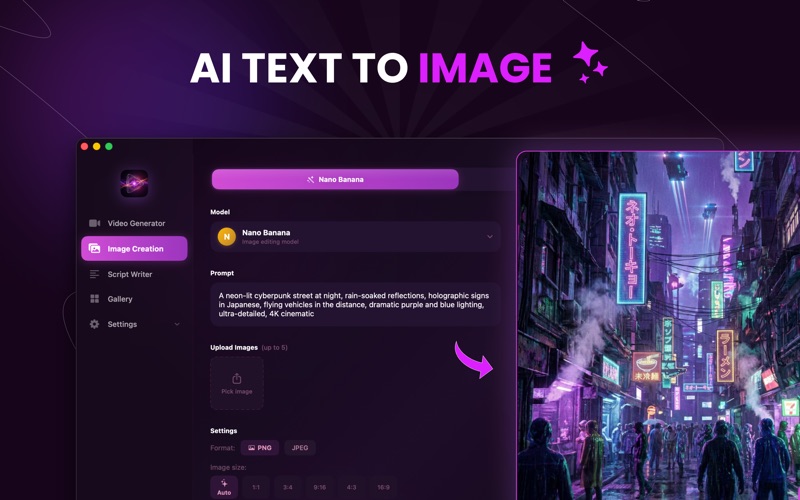
— IMAGE CREATION —
Generate beautiful AI images from text.
• Powered by Flux Pro, SDXL, and Nano Banana
• Edit existing images with image-to-image AI
• Multiple aspect ratios: 1:1, 3:4, 9:16, 4:3, 16:9
• Export in PNG or JPEG

— SCRIPT WRITER —
Your AI writing assistant for video scripts and prompts.
• Powered by Google Gemini 2.5 Flash
• Real-time streaming responses
• Full chat history with multiple sessions
• Export any script to PDF

— GALLERY —
All your creations in one place.
• Organized by videos and images
• Play videos directly inside the app
• Download, copy prompts, or reuse as templates

— BUILT NATIVELY FOR MAC —
• Pure SwiftUI — fast, smooth, and lightweight
• Dark mode optimized
• Keyboard shortcuts
• Runs on macOS 14 Sonoma and later

— PRICING —
Free to start. Upgrade when you're ready.

FREE: 2 video generations, 5 image generations, 10 script generations

PRO (Monthly $9.99 or Yearly $49.99): 10 videos, 30 images, unlimited scripts per month. No watermarks.

CREDIT PACKS: Buy extra credits anytime. 1 credit = 1 video or image. Never expires.

Payment will be charged to your Apple ID account at confirmation of purchase. Subscriptions automatically renew unless cancelled at least 24 hours before the end of the current period. Manage subscriptions in System Settings > Apple ID > Subscriptions.

Terms of Use: https://ai-video-studio-web.vercel.app/terms
Privacy Policy: https://ai-video-studio-web.vercel.app/privacy