PxlShot is a fast, native screenshot and screen-recording utility built for people who want to capture, explain, and share without sending their work to a server
PxlShot is a fast, native screenshot and screen-recording utility built for people who want to capture, explain, and share without sending their work to a server.

Capture an area, window, or display from the menu bar or a customizable global shortcut. On macOS 15 or later, record an area, window, or display as a local MP4 with the pointer visible. Independently enable Mac audio, microphone audio, or a draggable camera bubble with a circular or rounded-square shape. All three options are off by default, and none is required for screen recording.

A polished three-second countdown appears inside the selected area. For small selections, a compact callout sits nearby and stays on-screen. The countdown disappears before recording begins, and the clean recording outline stays out of the finished video. Completed recordings automatically copy to the clipboard by default; you can turn this off separately from screenshot copying in Settings.

Open a recording in the built-in video editor to seek, trim, split, remove sections, or mute audio. Undo and redo make it easy to refine an edit. Copy, share, or drag the edited video into another app, or use Done to apply your changes.

Quick Access keeps your newest screenshots and recordings close so you can copy, save, edit, play, delete, drag, or reopen a recent capture without breaking your flow. The complete chronological history is available in Recent Captures.

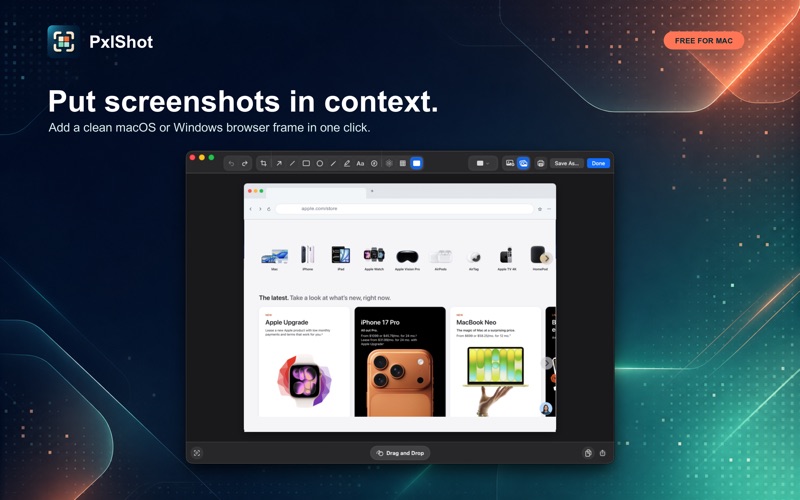
Make the point clearly from one streamlined editor toolbar. Add arrows, lines, shapes, freehand drawing, highlights, text, numbered counters, and cropping. Finish the image with a solid color, a built-in gradient, your current Mac wallpaper, or any photo as the canvas background. Place additional photos as editable layers, or wrap a screenshot in a clean macOS or Windows browser frame with light and dark appearances.

Protect sensitive information with permanent blur, pixelation, and redaction that are flattened into the exported image.

PxlShot also includes on-device text recognition. Open a screenshot in the editor, choose Extract Text, review the result, and copy it without uploading the image or text.

Privacy is the default:
- No account
- No uploads
- No analytics, ads, or telemetry
- No network entitlement
- Screenshots, recordings, optional recorded audio, and OCR stay on your Mac
- Local history defaults to one-day retention and can be cleared at any time

PxlShot requires macOS 14 or later and Screen Recording permission, which macOS requires for screenshot and screen-recording utilities. Video recording requires macOS 15 or later.