PowerScreenX gives parents simple, flexible control over their children's screen time
PowerScreenX gives parents simple, flexible control over their children's screen time.

  How it works:
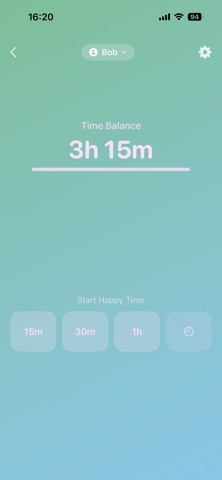
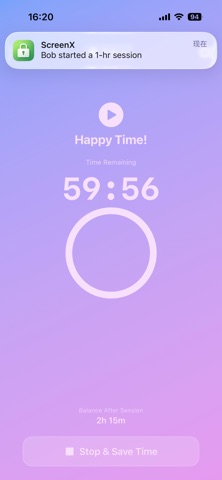
  Children receive a time balance that they spend in sessions. When time's up, the device locks automatically. Parents can manage everything from their own device.

  Key features:
  • Balance-based screen time — no rigid schedules, just a time budget
  • Start, stop, and extend sessions remotely from the parent app
  • Bonus time — reward good behavior with instant extra time
  • Automatic device lock when session ends
  • Uninstall protection — the app can't be removed without parent authorization
  • Works offline — device stays locked even without internet
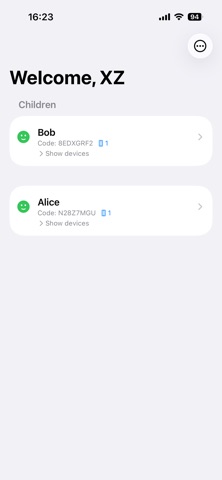
  • Multi-device support — manage multiple children and devices

  Easy setup:
  1. Parent signs in with Apple ID
  2. Add your child's profile
  3. Link the child's device with a simple code
  4. Done — start managing screen time right away

  PowerScreenX uses Apple's Screen Time framework to enforce limits directly on the device. A child iCloud account in the same Apple Family Sharing group is required.