Sharepoint Finder brings your SharePoint document libraries to your Mac desktop with a fast, native interface
Sharepoint Finder brings your SharePoint document libraries to your Mac desktop with a fast, native interface. Stop switching between browser tabs — access, manage, and edit your files the way you already work on macOS.

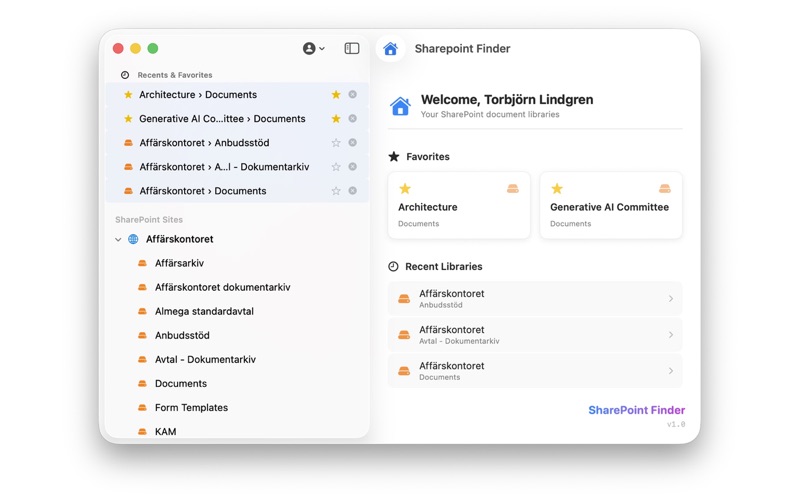
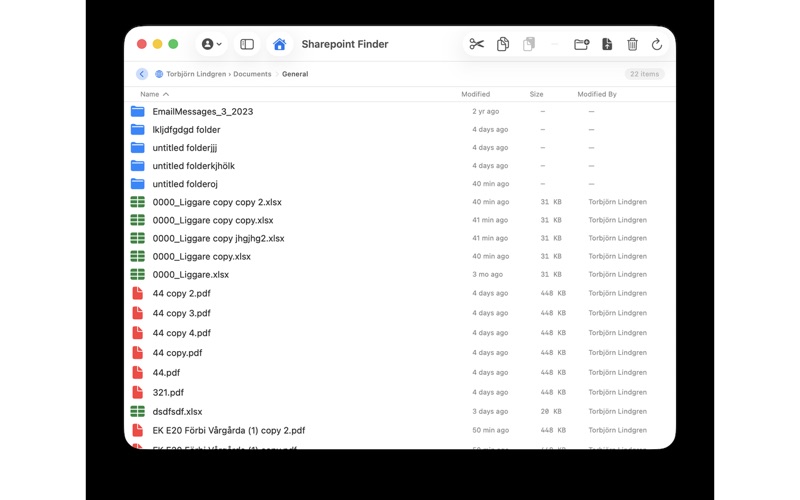
BROWSE YOUR SHAREPOINT FILES Navigate your SharePoint sites and document libraries in a familiar sidebar layout. Browse folders, sort files by name, date, size, or author, and find what you need quickly.

OPEN OFFICE FILES WITH AUTOSAVE Word, Excel, and PowerPoint documents open directly in their native desktop apps with full AutoSave and co-authoring support. Your changes sync back to SharePoint automatically — no manual saving or downloading required.

UPLOAD & DOWNLOAD Drag and drop files to upload them instantly. Download individual files to any location on your Mac, or open them directly with the default app.

FULL FILE MANAGEMENT Create folders, rename, delete, move, copy, and paste — all the file operations you need, without leaving the app. Cut and paste files between folders, or drag items to reorganize your libraries.

FAVORITES & RECENTS Pin your most-used document libraries for one-click access. Recently visited libraries appear on the home screen so you can pick up right where you left off.

SECURE SIGN-IN Log in with your existing SharePoint credentials through a secure browser-based authentication flow. No separate account registration required. Your session is protected by macOS App Sandbox.

WORKS WITH

SharePoint Online (.sharepoint.com)
Custom SharePoint domains
Microsoft 365 Business & Enterprise plans