




Description
Markdown is suddenly everywhere
Markdown is suddenly everywhere.

It’s how we speak to machines now. It’s how they speak to us.

We should make it nice!

But you already have a favorite text editor. You don’t need a special tool for writing Markdown. You just need a way to preview the Markdown you’re writing, marked up.

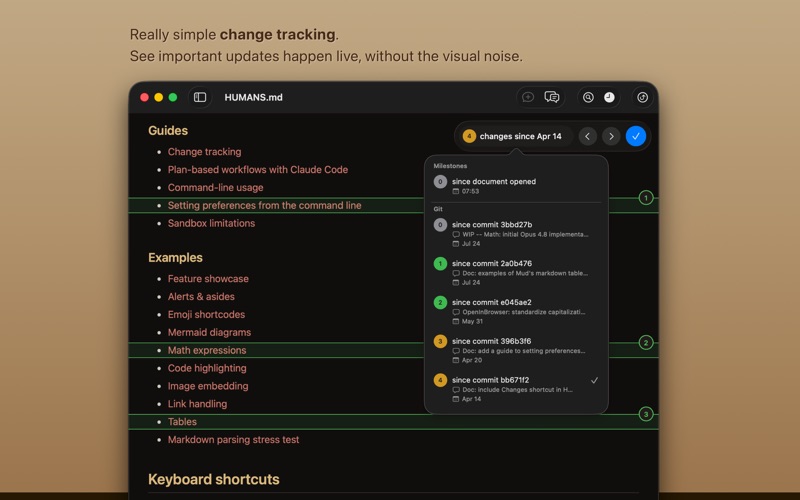
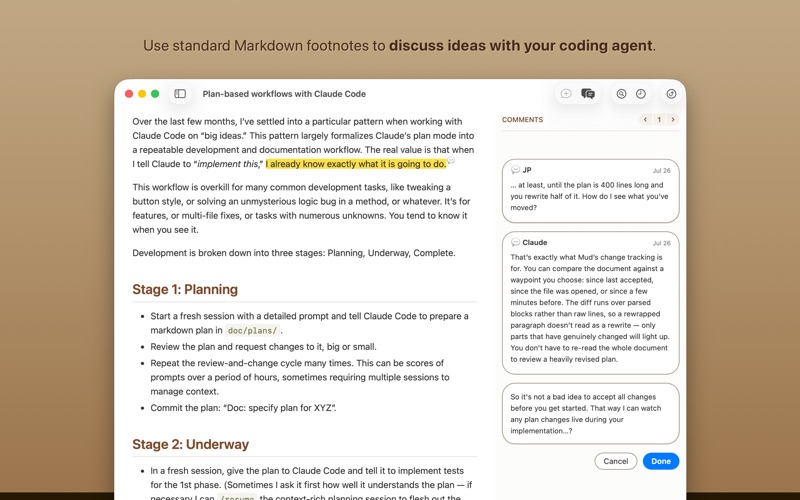
That’s what Mud is for. It renders Markdown beautifully, bright or dark. It automatically reloads the document when you save it — or when Claude Code writes to it, or Codex, or whatever you use.

Mud shows you both sides of every document:
- Mark Up renders your Markdown as styled HTML — GitHub-flavored, with syntax-highlighted code.
- Mark Down shows the raw source with line numbers.

Hit Space to flip between them. Your scroll position carries over.

Mud is a Mac-gassed Mac app with excellent command-line tooling. It’s free and it’s open source.

It does one thing — it marks up Markdown! — and it does it really well.
Category: 软件开发工具(4119)
Version: 4.0.1
BundleId: org.josephpearson.Mud
Developer: Joseph Pearson
Updated: 2026-07-29
