BeaverPlot turns your iPhone or iPad into a professional scan-to-BIM tool — and a field companion that makes sure extra work gets paid
BeaverPlot turns your iPhone or iPad into a professional scan-to-BIM tool — and a field companion that makes sure extra work gets paid.

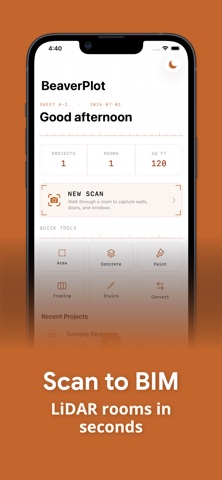
Walk through any residential space, capture it with LiDAR, and generate industry-standard floor plans, 3D models, AI-drafted reports, and a home inventory in seconds. And when a job grows beyond the quote, write a signed work ticket before the crew leaves the site.

ROOM SCANNING REQUIRES LiDAR — iPhone 12 Pro or later, or iPad Pro (2020 or later). Work Tickets, outdoor measuring, and every calculator work on any iPhone.

HOW IT WORKS
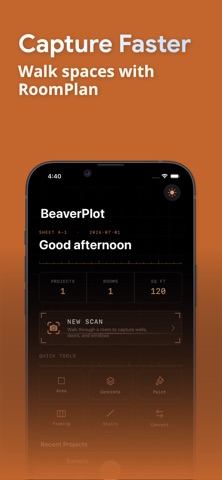
1. Scan — Walk through a room using RoomPlan + LiDAR to capture walls, doors and windows
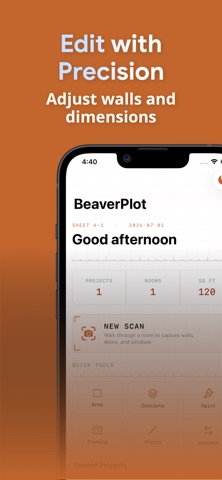
2. Edit — Fine-tune dimensions, adjust wall positions, and calibrate with a single tape measurement so every export is to scale
3. Export & Share — Generate professional deliverables, draft an AI report, build a home inventory, or share a walkable 3D tour link that opens in any browser

WORK TICKETS — GET PAID FOR EXTRA WORK
When the GC, super, or homeowner asks for work that isn't in the contract, write it up in 60 seconds: snap photos, dictate what was asked for, add time & materials — then hand them your phone to sign. The ticket locks, and a signed change-order PDF is generated on your device, ready to share on the spot. Track every ticket from signed to invoiced to paid, with a running outstanding total and reminders so nothing goes unbilled. Your tickets live in your own files (Files > Beaverplot > Tickets) and never touch a server.

SHARE 3D TOURS
Turn any room scan into an interactive 3D tour you can text or email. Recipients open it in any web browser — no app required — and can explore the space with per-room measurements. (Pro)

AI REPORTS
Turn a scan plus your photos and notes into a professional report — property condition, real-estate listing, punch/snag list, or damage & restoration scope. Choose the tone and what to focus on, then review and finalize your editable draft. (Pro AI)

HOME INVENTORY
Photograph your rooms and let AI list your belongings — item, brand, and room — for insurance, moving, warranties, or your own records. Edit the list, add your own details, save it on your device, export a PDF, or attach it to a project. (Pro AI)

EXPORT FORMATS
  • USDZ — Free on-device 3D model you can view in AR
  • Listing Floor Plan — Clean, dimensioned floor plans for real-estate listings
  • DXF — 2D floor plans for AutoCAD (Pro)
  • IFC — Parametric BIM models with wall families for Revit (Pro)
  • PDF — Dimensioned floor plans ready to share (Pro)

FREE FEATURES
  • Unlimited room scanning with LiDAR
  • Work tickets — photos, dictation, time & materials, on-screen signature, and PDF (with watermark)
  • Measure outdoors without a scan — trace a lawn on satellite imagery, or walk a deck and tap its corners
  • Blueprint editor with dimension and calibration tools
  • Listing floor plans (with watermark)
  • Built-in calculators — area, concrete, paint, framing, stairs, unit converters

BUILT FOR PROFESSIONALS
  • Contractors, subcontractors, and the trades — electricians, plumbers, drywallers, remodelers
  • Architects and designers
  • Home inspectors and restoration pros
  • Real estate documentation and listings
  • Homeowners documenting belongings for insurance
  • As-built surveys

REQUIREMENTS
  • Any iPhone for work tickets, outdoor measuring, and calculators (iOS 18 or later)
  • iPhone 12 Pro or later, or iPad Pro (2020 or later) — required for room capture

SUBSCRIPTION TERMS
BeaverPlot Pro is available as a monthly ($4.99) or yearly ($49.99) auto-renewing subscription.
BeaverPlot Pro AI is available as a monthly ($19.99) or yearly ($149.99) auto-renewing subscription.
Both renew automatically unless cancelled 24 hours before the period ends.

- EULA: https://www.apple.com/legal/internet-services/itunes/dev/stddla/
- Privacy Policy: https://www.beaverplot.com/privacy
- Terms of Service: https://www.beaverplot.com/terms