Your Dock launches apps. It doesn't organize them — or let you make them yours.

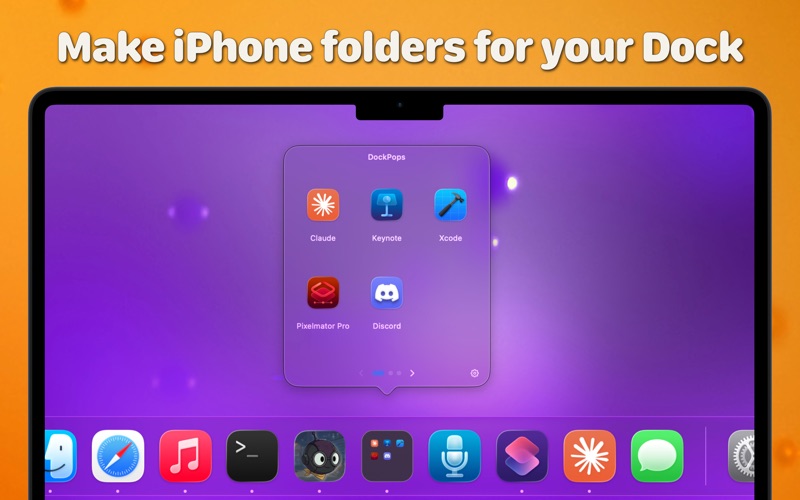
DockPops adds beautiful, customizable folders to your Dock. Click a DockPops icon and a grid of your apps, files, folders, and links pops up right where you'd expect it. Then make each one yours — a theme, a gradient, a photo, a glass finish — and watch its Dock icon match.

ORGANIZE YOUR DOCK
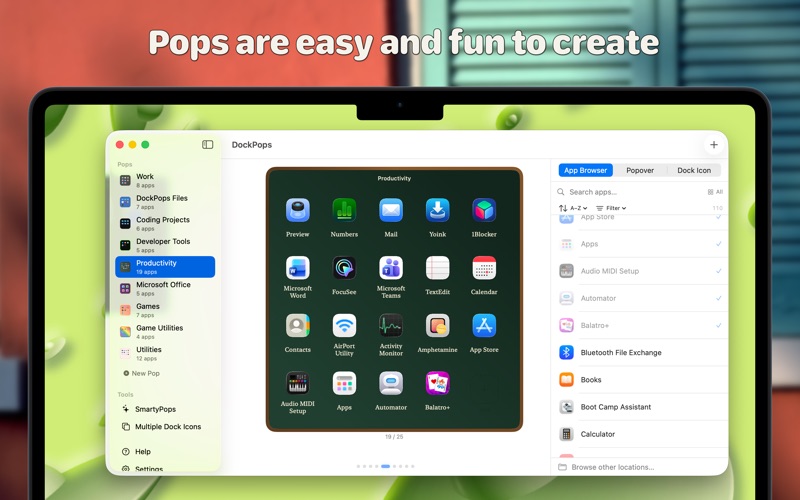
– Group up to 25 apps, files, or folders in a Pop
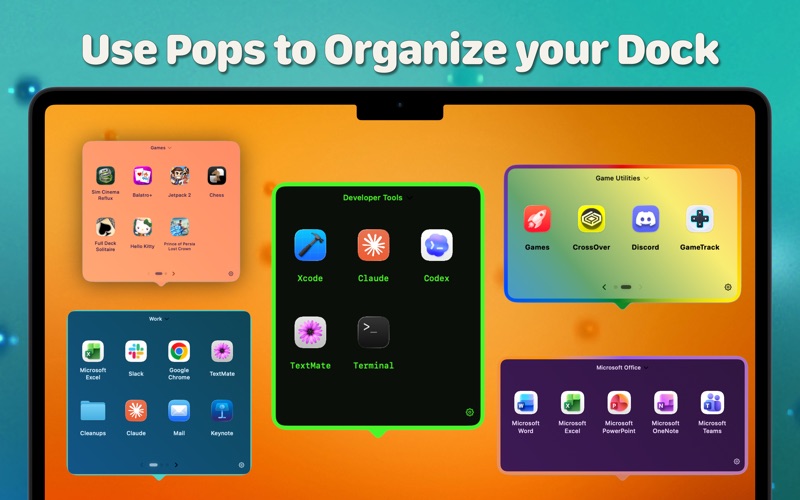
– Create up to 20 Pops and swipe between them
– Give any Pop its own icon in your Dock
– Group related Pops behind one of those icons and swipe through just that set
– Drag in apps, files, and folders from anywhere on your Mac; browse folders right inside a Pop
– Build Pops fast with a drag-and-drop editor, and launch everything at once with Open All

MAKE IT YOURS
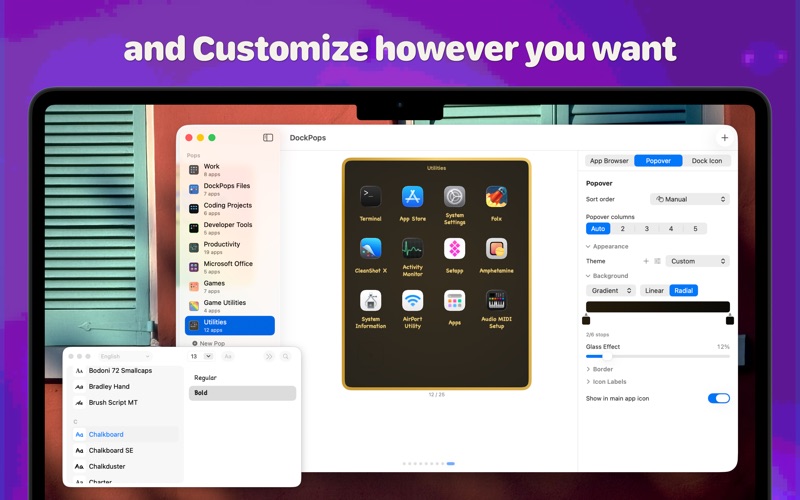
– A dozen built-in themes, or save your own and reuse it across Pops
– Style each background: color, gradient, or your own photo — with a Glass Effect slider
– Add a single-color or gradient border
– Set the app-label font, weight, size, and color
– Each Pop's Dock icon matches its theme automatically — or give it its own look

SMART, AND FREE TO START
– Apple Intelligence suggests apps that belong in your Pops — on device (macOS 26)
– Pair with the free DockPops Companion to pin each Pop as its own Dock tile

Free with 2 Pops and 6 items each. Unlock everything with DockPops Premium — one purchase, no subscription.

Native Mac app. No tracking, no ads. Fully sandboxed. Requires macOS 14 or later. Apple Intelligence features require macOS 26.