Built for developers. Sync thousands of files locally fast — without cloud slowdowns or broken workflows. Stay in control of your folders.

If you work with node_modules, .git, or large codebases, you already know the problem:
cloud sync tools are not designed for development workflows.

They slow down, get stuck, or break when handling thousands of small files.

Lsyncer solves this by keeping your work local and fast, while ensuring your files are safely copied where you need them.

WHY LSYNCER

Work locally. Sync safely.

Lsyncer is designed for developers who want full performance when working on their Mac, without giving up backup or cloud copies.
	•	Keep your projects local and fast
	•	Sync to your backup or cloud folders without performance impact
	•	Avoid slowdowns caused by syncing thousands of small files

No bottlenecks. No broken sync states. No surprises.

KEY FEATURES
	•	Optimized for development folders
Handles thousands of small files with consistent performance
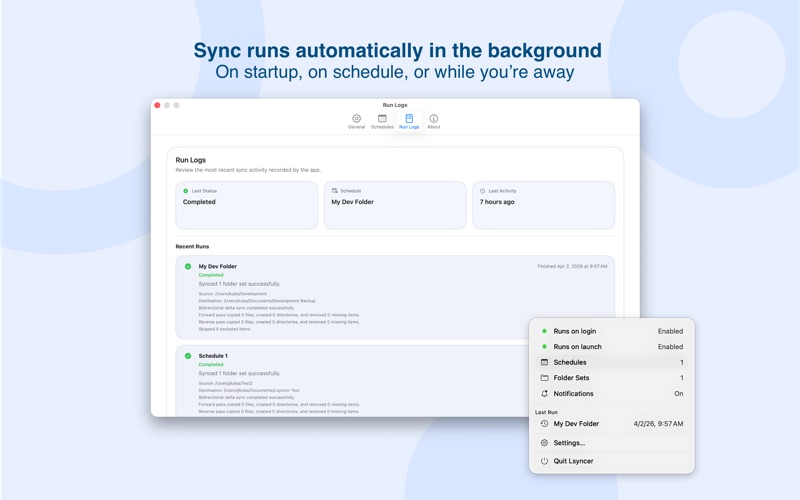
	•	Scheduled Sync
Run automatically on startup, on schedule, or while you’re away
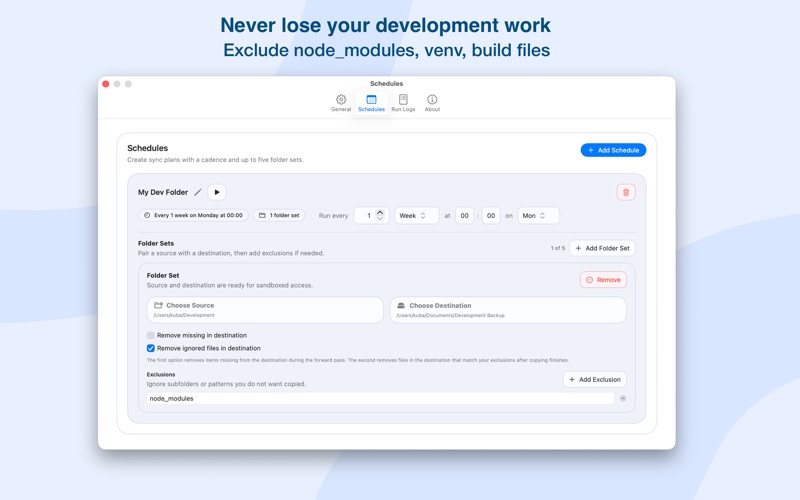
	•	Smart Exclusions
Skip node_modules, .git, venv, build files, and other unnecessary data
	•	Clear Sync Status & Notifications
Get notified instantly when sync fails or becomes outdated
	•	Simple Setup
Select folders, define rules, and start syncing in seconds

STAY IN CONTROL

Lsyncer doesn’t fail silently.
	•	Know when a sync fails
	•	See how long your folders have been out of sync
	•	Always understand the current sync state

No guessing. No hidden issues.

REAL USE CASES
	•	Work on projects locally for maximum performance
	•	Keep a safe copy in iCloud or other storage without slowing down your workflow
	•	Sync between folders, disks, or environments
	•	Maintain fast, predictable development workflows

PRIVACY

Lsyncer works entirely on your device.
	•	No tracking
	•	No analytics
	•	No external servers

Your files stay yours.

DIAGNOSTICS (OPTIONAL)

If something goes wrong, you can send a diagnostic report to help improve the app.
	•	Reports are sent only when you choose to
	•	Logs are optional
	•	File contents are never included

IMPORTANT NOTES
	•	Folder access is required to perform synchronization
	•	Background sync is optional and disabled by default