Something stirs.

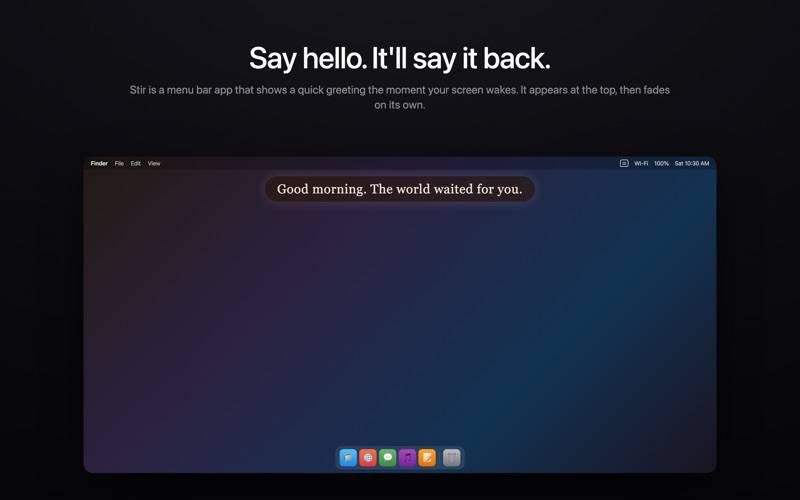
Every time it wakes — lid open, screen unlock, monitor on — Stir gives it a voice. A brief, beautiful greeting appears and fades on its own. No buttons, no interruptions. Just a quiet hello.

HOW IT WORKS
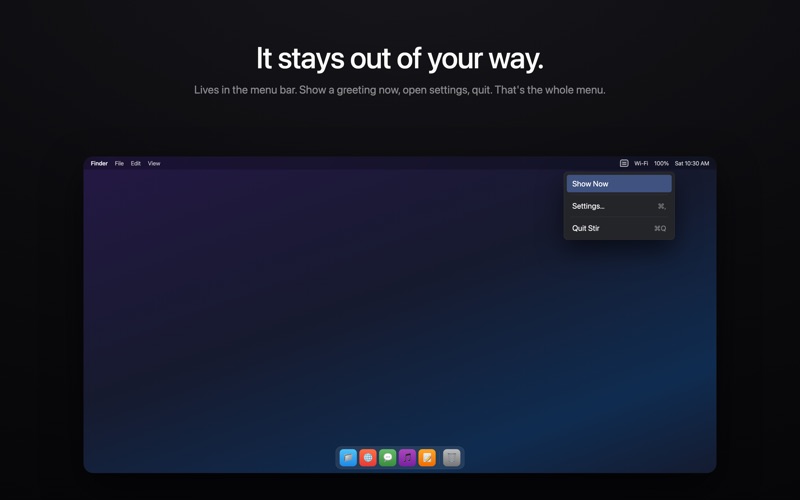
Stir lives in your menu bar. When your screen wakes, a greeting surfaces for a few seconds and disappears. You don't touch anything. It just happens.

TWO MODES
- Presence: A small bubble near the top of your screen. Appears, greets, gone.
- Echo: A full-screen moment with typing animation. Cinematic. Tap to dismiss.

THEMES
23 built-in themes. Each one changes how your greeting looks and sounds — from minimal monochrome to warm editorial serif to retro terminal green. 4 included free, 19 more with Pro.

SMART GREETINGS
- Messages that shift with the time of day
- AI-generated greetings via Gemini, Claude, or Ollama (bring your own key)
- Custom presets you write yourself

QUIET HOURS
Set a schedule so Stir stays silent at night or during focus time.

WAKE HISTORY
A timeline of every wake — when, what was said, and whether it was suppressed.

KEY FEATURES
- Menu Bar Only — No Dock icon, no clutter
- Multi-Monitor — Greetings on every display
- Launch at Login — Always there, always quiet
- Native — Built with SwiftUI, Sonoma and later

PRO (One-time Purchase)
Unlock 19 Pro themes. Each one shapes not just colors and fonts, but how the AI writes — from editorial restraint to cinematic warmth.

Something stirs. Let it speak.