Stop rebuilding the same project folders from scratch.

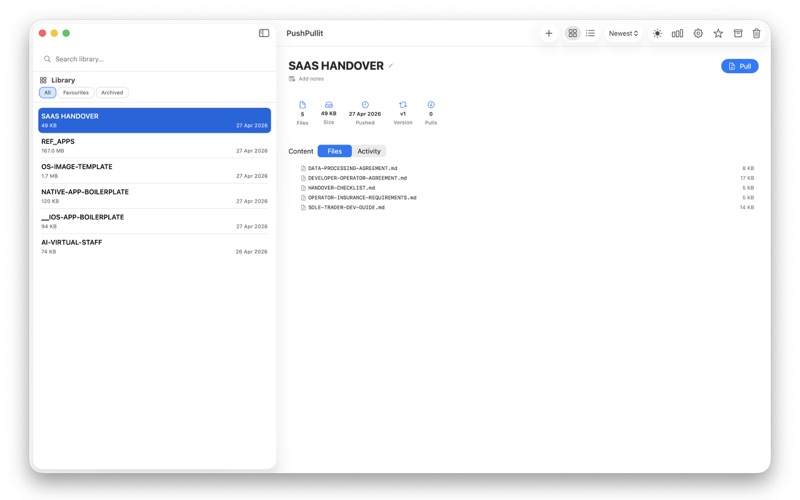
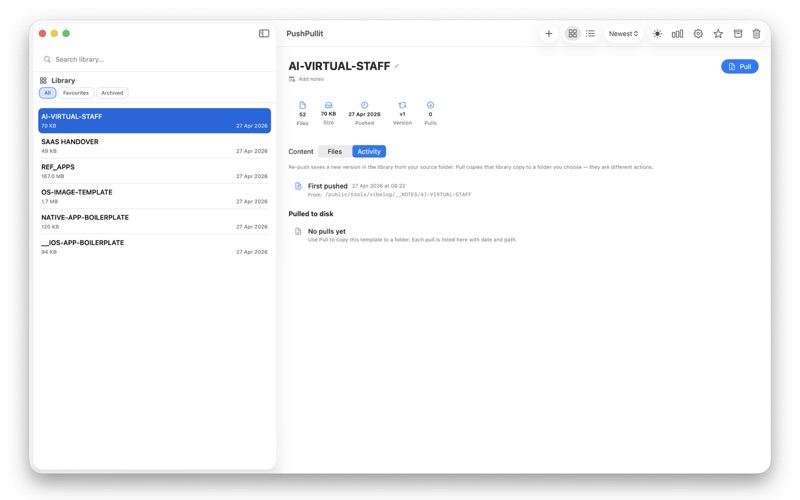
PushPullit saves any folder on your Mac as a reusable template. When you start a new project, site, script pack, or client job, pull a clean copy to any destination in seconds.
Works alongside whatever tools you already use — Xcode, VS Code, Cursor, Windsurf, Terminal, or any other editor, IDE, or AI coding assistant. PushPullit manages your project folders, not your code. Save a starter once, pull it into any workspace whenever you need it.

WHAT YOU CAN DO:

- Save any folder as a template with one click or drag it onto the app
- Pull a clean copy to a new location whenever you need it
- Find and replace text in file contents and filenames during a pull
- Re-push an updated folder to keep version history
- Switch between grid and list view in the toolbar
- Add tags, search, and filter your library
- Mark favourites and archive templates to stay organised
- See builder stats: pull counts, frameworks, languages, recent activity
- Access your library from the menu bar
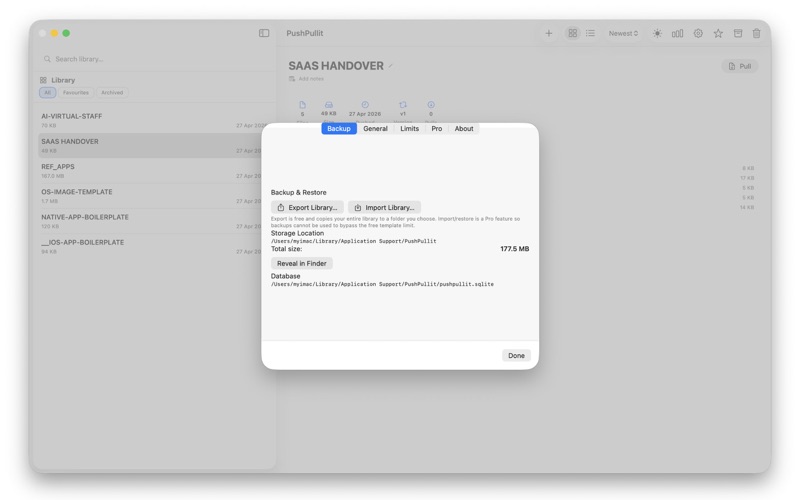
- Export your full library as a backup (free)
- Import a backup to restore your library (Pro)
- Choose light or dark appearance
- Set custom skip patterns so certain files are never saved
- Work entirely offline. Your templates never leave your Mac

WORKS WITH ANY WORKFLOW:

PushPullit is not an editor or IDE plugin. It is a standalone Mac app that sits alongside your tools. Save a project folder once, then pull fresh copies into:
- Xcode or Swift Playgrounds projects
- VS Code, Cursor, Windsurf, or Zed workspaces
- AI coding tools like Copilot, Claude, or Cody sessions
- Terminal, shell, or script-based setups
- Design tools, client handover folders, or documentation kits
- Any folder structure you reuse

USEFUL FOR
- Swift, web, and cross-platform project starters
- Client folder structures and handover packs
- Shell script collections and command sets
- Design assets and reusable layouts
- Internal tools and starter kits
- Any folder you find yourself copying more than once

FREE AND PRO
Free: save up to 6 templates and use every feature above.

Pro: one-time purchase, no subscription. Removes the template limit and adds library import and restore.

No cloud account. No tracking. No sign-in required.

Push a folder once. Pull it whenever you need it.