



Description
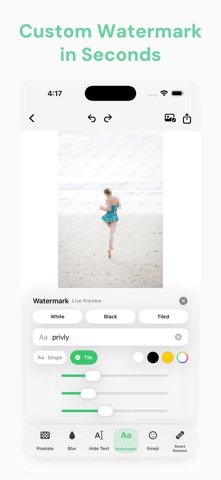
Privly helps you protect sensitive information in your photos before sharing them online
Privly helps you protect sensitive information in your photos before sharing them online.

With automatic privacy detection and easy manual editing tools, Privly makes it simple to cover faces, license plates, phone numbers, IDs, addresses, screenshots, documents, and other private details.

Key Features:

• Automatic Privacy Detection
Privly can help identify sensitive areas in images, such as faces, text, numbers, and other private information.

• Manual Selection
Draw over any area you want to protect. You stay in full control of what gets hidden.

• Multiple Mask Styles
Use blur, pixelation, solid color blocks, or stickers to cover private content.

• Batch Processing
Protect multiple photos more efficiently when you need to edit several images at once.

• Adjustable Effects
Customize blur strength, pixel size, mask size, and other editing details.

• Local Processing
Your photos are processed on your device. Privly is designed to help protect your privacy without unnecessary cloud uploads.

• Clean and Simple Design
Privly is built for everyday use, with a simple workflow that helps you edit and share protected images quickly.

Privly is useful for:
• Social media posts
• Screenshots
• Documents
• Receipts
• Travel photos
• Work images
• Family photos
• Product photos
• Any image that contains private information

Before sharing a photo, use Privly to quickly hide what should stay private.

Privacy matters. Privly makes it easier.

Whether you are posting on social media, sharing screenshots, sending documents, or protecting people’s identities, Privly gives you a fast and clean way to blur, pixelate, mask, or cover sensitive areas.

Terms of Use (EULA): https://www.apple.com/legal/internet-services/itunes/dev/stdeula/
Privacy Policy: https://ganggang0516.github.io/Privly_App_Store/privacy.html
