



Description
One keystroke opens every app you work in — already arranged
One keystroke opens every app you work in — already arranged.

You open the same apps every day and drag them into the same corners of the screen. Setpiece does it in one step: it launches the apps and moves each window exactly where you want it.

Tell it once which apps go where. Then press one shortcut whenever you sit down to that kind of work — coding, design, writing, a review.

HOW IT WORKS

Save a setup and give it a name: "Backend," "Code Review," "Design," "Writing." Setpiece calls these Scenes. A Scene remembers which apps belong on screen and where each window goes.

Trigger one from the menu bar or a keyboard shortcut, and Setpiece:

• Opens the apps in it that aren't already running
• Moves every window into position in a single step
• Fits the layout to whatever screen you're on — positions are stored proportionally, so a layout built on your laptop lands correctly on an external monitor

ALREADY ARRANGED IT BY HAND? SAVE IT

Got your apps sitting just right? Save the arrangement in one click. Setpiece records what's open and where, and you can bring it back any time.

FREE — AND THE FREE ONE IS THE REAL THING

Setpiece Free gives you one Scene with nothing held back. As many apps as you like, placed anywhere on any display, with its own global keyboard shortcut, the menu bar, and the palette. It works exactly like a paid Scene.

SETPIECE PRO

• Unlimited Scenes — one for every project, instead of one total
• Display automation — plug in your desk monitor and the right layout sets itself up; unplug and drop into a focused single-screen setup, with no clicking

Pro is a one-time purchase, or a yearly plan with a free trial if you'd rather try it first. Prices are shown in the app before anything is charged.

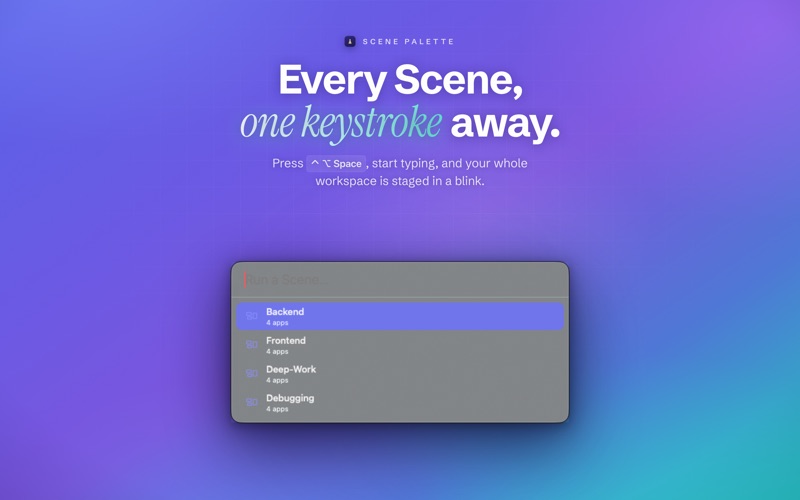
TYPE A FEW LETTERS, HIT RETURN

One global shortcut opens the palette. Type part of a name, press Return, and your workspace is up. Keyboard only, no menus.

ALSO IN THE BOX

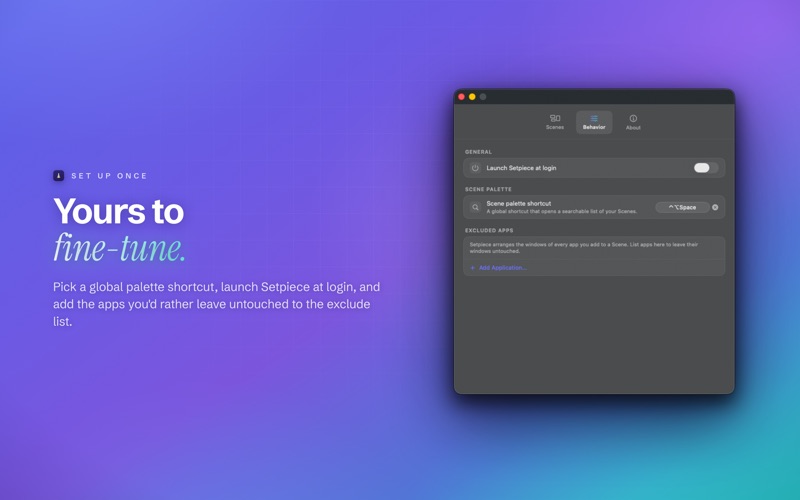
• Any global shortcut for any Scene
• Multi-display aware, with proportional placement
• Export a Scene to share it or keep it in your dotfiles; import in a click
• Leave out any app you want untouched

PRIVATE BY DESIGN

Setpiece collects no data. No analytics, no trackers, no account, and no server of ours to talk to. Your Scenes and settings stay on your Mac. The only network connection Setpiece makes is to Apple's App Store, to handle a purchase and check whether Setpiece Pro is unlocked on your Apple Account — Apple handles payment, and we never see your details.

Setpiece uses the macOS Accessibility API to launch and position your apps at your request, and nothing else. You grant permission once in System Settings.

Terms of Use (EULA): https://www.apple.com/legal/macapps/stdeula/
