Automatically generate and edit timed subtitles on your Mac with private, local AI
Automatically generate and edit timed subtitles on your Mac with private, local AI.

Caption Comet listens to your video, creates timed captions automatically, and gives you precise control over text, timing, and appearance. Everything happens on your Mac. Your videos are never uploaded, and no account, API key, cloud service, or subscription is required.

EVERYTHING NEEDED IS INCLUDED

Caption Comet includes the complete local transcription system in the initial app download. You do not need to search for, choose, configure, or separately download AI models.

Included models:

• Whisper large v3 unquantized for the highest transcription quality
• Whisper large v3 5 bit quantized for faster processing and lower memory use

Both models work on every Apple Silicon Mac. Choose High Quality when accuracy matters most, or Fast when you prefer quicker processing and lower memory use.

The initial download is larger because both models are included. Install Caption Comet once and start working immediately.

LANGUAGES AND TRANSLATION

Caption Comet can transcribe speech in the 99 languages supported by Whisper large v3. It can also translate supported spoken languages into English.

QUICK MODE

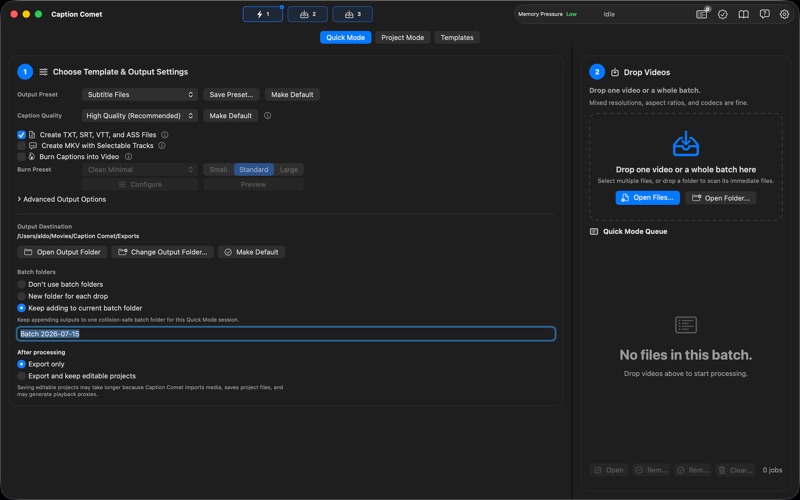
Configure your output once, then drop in one video, a folder, or a mixed batch. Horizontal and vertical videos can be processed together even when their resolutions, aspect ratios, containers, and codecs are different.

Caption Comet can automatically transcribe and export every file using the workflow you selected.

THREE CONFIGURABLE DROP TARGETS

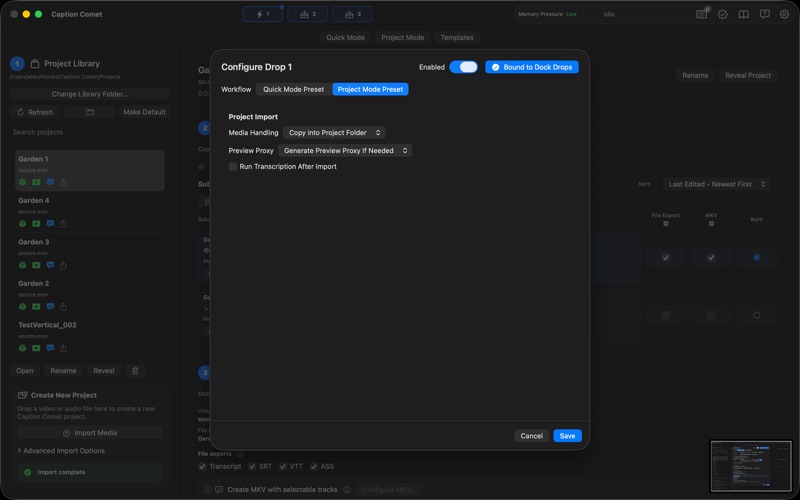
Keep three different workflows ready at the same time. One target can create subtitle files, another can burn styled captions into videos, and another can preserve editable projects.

Assign one target to the Caption Comet Dock icon. Drag files or a folder onto the Dock icon to process or import them using that saved workflow.

PROJECT MODE

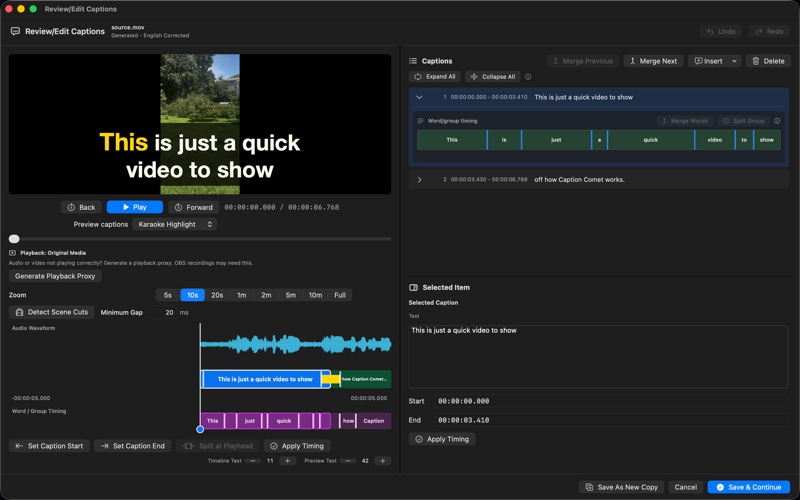
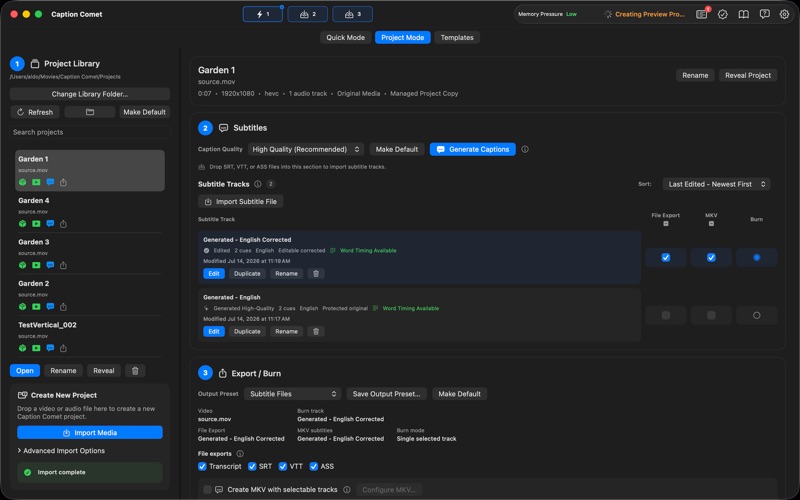
Create editable caption projects for detailed review and correction. Edit individual words, adjust timing, preview caption styles, and export when everything looks right.

WORD TIMING OFFSET

Shift generated captions earlier or later by a precise number of milliseconds. The setting is available in Quick Mode, Project Mode, and configurable Drop workflows. The applied value appears in generated track names and output file names so different versions are easy to identify later.

FEATURES

• Automatic local AI transcription
• Videos stay on your Mac
• No separate AI model downloads
• No account, API key, or cloud service required
• No subscription
• Precise word level text and timing controls
• Word Timing Offset for earlier or later captions
• Quick Mode for automatic workflows
• Project Mode for detailed editing
• Batch processing for multiple videos
• Mixed resolutions, aspect ratios, containers, and codecs in one batch
• Custom fonts, colors, outlines, shadows, backgrounds, and positioning
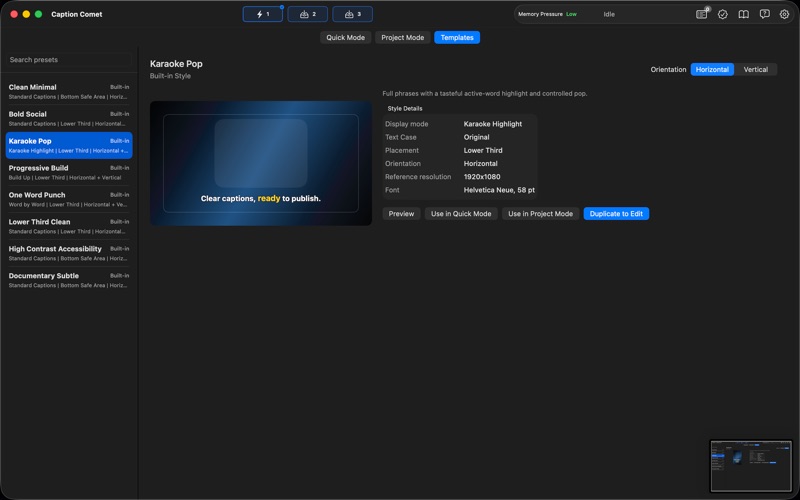
• Built in caption style presets
• Horizontal and vertical video support
• Export SRT, VTT, ASS, and TXT subtitle files
• Create MKV files with selectable subtitle tracks
• Burn captions directly into finished videos

DISPLAY RECOMMENDATION

Caption Comet remains usable at lower display resolutions, but for the best editing experience we recommend an effective resolution of at least 1512 × 945. Use the built in display on any Apple Silicon Mac notebook or a 1080p or higher external display. Adjust display scaling in System Settings, then Displays. Higher resolutions provide more room for the editor and preview controls.

FREE VERSION

• Complete editing workflow
• Quick Mode, Project Mode, and batch processing
• Exports limited to the first 30 seconds
• Caption Comet watermark on burned video exports
• Included 30 day Pro trial with every Pro feature
• Trial begins only when you choose to activate it

LIFETIME PRO

• Unlimited exports
• No watermark
• One purchase
• No subscription
• No recurring fees