

Description
After developing the same game for two different development platforms (iOS and macOS), the lesson that I had learnt over this period is that you never want to create sprite images without using an ap
After developing the same game for two different development platforms (iOS and macOS), the lesson that I had learnt over this period is that you never want to create sprite images without using an application.  Naturally, you want to create a sprite image such that it can be converted into three different sizes.

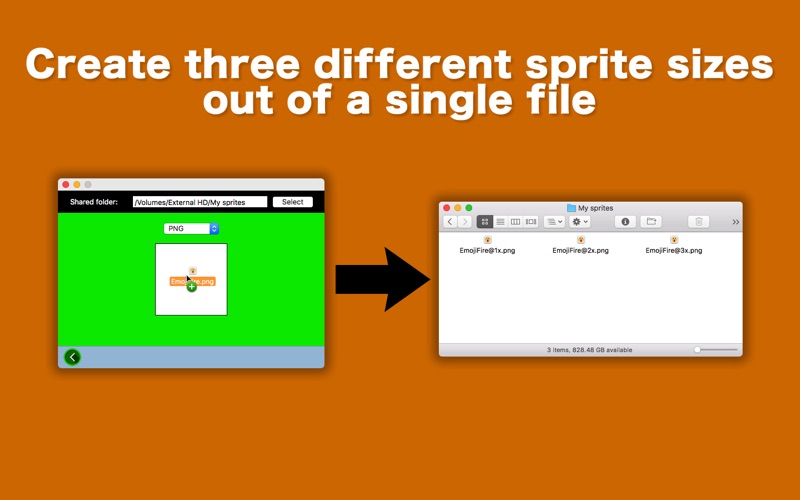
Sprite 1-2-3 will let you create three different sizes of an image you specify.  All images will be named after the original file with the size parameter (@1x, @2x, @3x) automatically appended.  For example, if you have an image whose size is 216 px X 192 px, the application would create three sizes: 72 px X 64 px, 144 px X 128 px, 216 px X 192 px.


- Features -

1. Set up the shared folder so that the application would not have to ask you where to save files every time you use the application.
2. Just drag and drop a source image onto the drop box to create three different sizes.
3. The fullScreen mode is not supported. The application window size is small and fixed.
4. Languages: English only.
5. Application file size: 24.8 MB.
6. The application comes with a built-in 5-page user guide. Click on the Quick tour toolbar button or choose Show Quick Tour under Scrapboard 2 whenever you need to see it.


- System requirements -

1. 10.12 (tested with 10.12.6), 10.13 (untested)
2. 64-bit system


- Limitations -

Nothing so far...
Category: Developer Tools(4119)
Version: 1.0.4
BundleId: net.mhvt.Sprite1-2-3
Developer: Tomoyuki Okawa
Updated: 2021-03-13
