Smaller files, the right format, no hidden data.

NoExif makes a photo ready to share — the right size, the right format, and none of the metadata you didn't mean to send. Everything happens on your iPhone.

COMPRESS
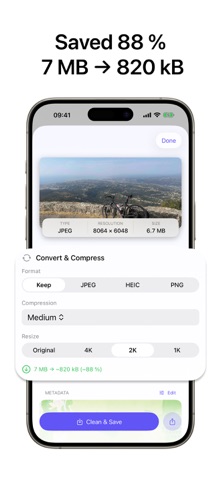
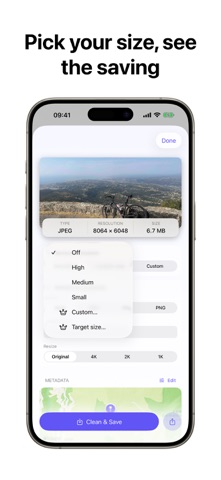
• Shrink a photo with one tap: High, Medium, or Small
• See the saving before you commit — "12.4 MB → 1.1 MB"
• Hit an exact file size: 10 MB, 5 MB, 2 MB, or any target you type (Pro)
• Pick your own quality with a precision slider (Pro)

CONVERT
• HEIC to JPG — the fix for "this file won't open"
• JPG, PNG and HEIC, in any direction
• Resize while you convert, in a single pass — no quality lost to a second encode

CLEAN
• Remove location (GPS), date/time, and camera details
• See exactly what's inside a photo before you send it
• Choose what to remove: everything, location only, or your own mix (Pro)
• Edit a photo's date and location on a map (Pro)

STRAIGHT FROM THE SHARE SHEET
Select photos in Photos, tap Share, choose NoExif. Compress, convert and clean without leaving the app you're already in.

PRIVATE BY DESIGN
Every photo is processed on your device. No account, no upload, no server, no tracking — your photos never leave your iPhone. That's not a setting you have to find; it's the only way NoExif works.

GO PRO
Unlimited runs, batch mode, custom quality, exact target file size, and metadata editing — weekly, yearly, or a one-time Lifetime purchase.

Perfect for: email attachments that bounce, marketplace listings, upload forms with size limits, social posts, résumés and portfolios, and travel photos you'd rather not geotag.

----

Privacy policy: https://cafournier.com/noexif/privacypolicy
Terms of use: https://cafournier.com/noexif/terms