Stop re-copying the same snippets. SourceBoard keeps your Mac clipboard history one hotkey away — pin API keys and templates, search instantly, and keep private items hidden.
Built for developers and power users: workspaces, a live markdown notepad, color and link previews, and encrypted storage. Try free for 7 days.

INSTANT ACCESS ANYWHERE
A global hotkey (Option+Shift+Q) opens history from anywhere, over fullscreen apps. Double-click copies an item back. First launch includes sample items.

PIN AND SNIPPETS
Pin connection strings, API endpoints, and templates. Add a custom title with Set Title / Rename… or Cmd+R. Ctrl+Option+S opens a snippets panel of pins and notes — search and paste with no extra store.

FIND ANYTHING FAST
Real-time search. Filter by Pinned, Text, Images, Links, Emails, Colors, Files, Folders, source app, or tags. Hide or reorder filter chips. Sort by newest, oldest, or most copied.

PREVIEW AND EDIT
Open a resizable preview. Click Edit to change text, links, colors, or emails; Return adds a new line. Images can show OCR text and QR / barcode content.

PRIVACY FIRST
Mark items private to hide them. History is encrypted at rest (AES-GCM) with keys in iCloud Keychain. Password-manager content is ignored by default. Ignore apps, pause capture, and optionally clear unpinned history on quit or after a Mac restart.

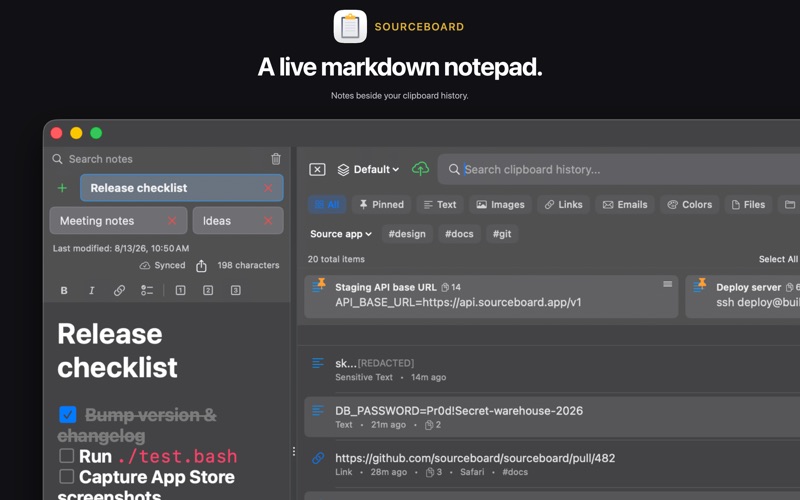
BUILT-IN NOTEPAD
Multiple notes, search, Quicklink hotkeys, and Recently Deleted. Live markdown for headings, lists, tasks, code, and tables. Export to text, Markdown, or HTML.

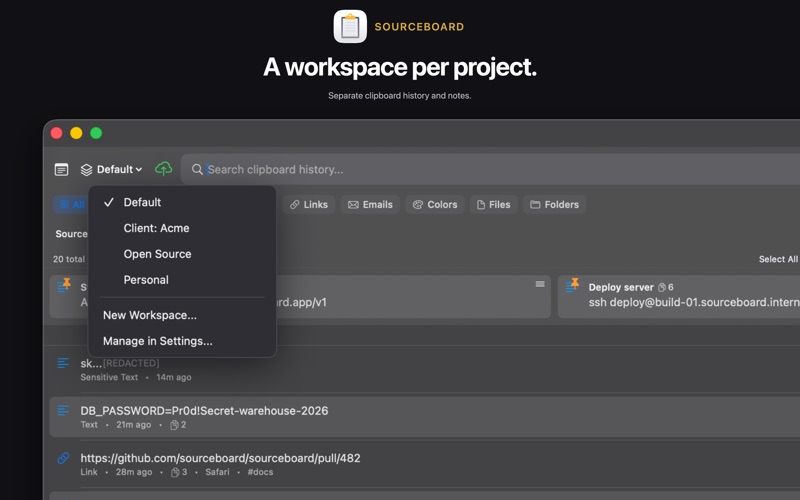
WORKSPACES
Separate clipboard histories and notepads by project.

ICLOUD SYNC (REQUIRES A PAID SUBSCRIPTION)
Sync history and notes across your Macs. Choose what syncs: text, emails, files, images, rich text, sensitive items, and notes. Not available during the free trial.

LINKS, EMAILS, COLORS, AND FILES
Open links in your browser or in SourceBoard. Compose email to copied addresses. Hex, rgb(), and CSS names show a swatch; copy as hex, rgb(), rgba(), HSL, or name. Files and folders: copy back, Reveal in Finder, or Open With… (Opt+Cmd+O). Save images as PNG (Cmd+Shift+S).

SMART STORAGE
Large items stay on disk. Optional retention by type, hours, or unused items. Set a maximum item count or total size.

KEYBOARD SHORTCUTS
Defaults (change in Settings):
• Option+Shift+Q — open history
• Up / Down — move between items
• Return — copy highlighted item
• Cmd+O / Opt+Cmd+O — open link, email, file, or image
• Cmd+Shift+P / Cmd+R / Cmd+Shift+S — pin, rename, save PNG
• Cmd+P / Cmd+Shift+F / Cmd+Shift+H — cycle, pinned, or reset filter
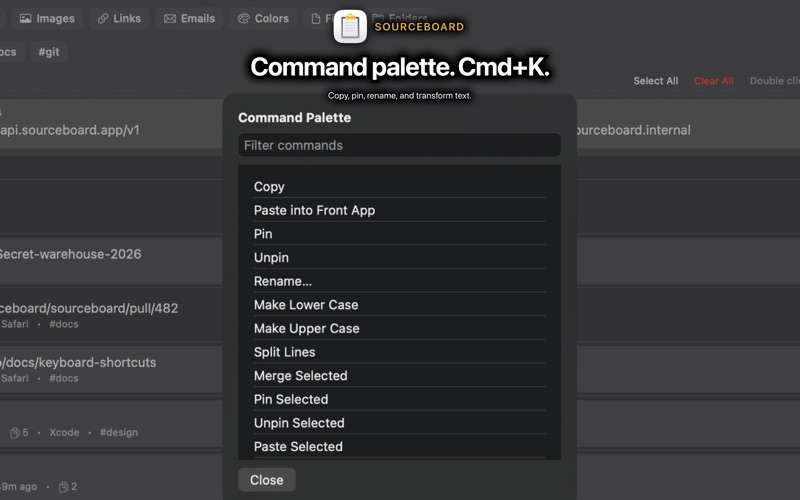
• Cmd+A / Cmd+K — select all / command palette
• Cmd+1–9 — paste quick-paste slot
• Ctrl+Option+V / B / S — paste next / previous / snippets
• Ctrl+X / Ctrl+Shift+X — delete item / all unpinned

POWER USER FEATURES
• Shift-click or Shift+Up/Down for bulk pin, merge, tag, and paste (optional copy order)
• Paste into the front app (Accessibility); paste on click; keep open; always on top; pins on top
• Copy and append (double-⌘C); text transforms; split/merge; format JSON
• Tags, source app, custom titles, named colors; JSON import/export
• Plain Text Mode; duplicate prevention; clear unpinned (pins stay unless turned off)
• Pause from the menu bar or a hotkey; optional capture sound
• Hide or colour the menu bar icon; Option-click for the menu
• Resizable window, position presets, and a minimalist mode
• Remap paste next/previous, snippets, and history shortcuts
• IME-safe Return; language: System, English, Español, 日本語, 简体中文

SUBSCRIPTION
7-day free trial, then continued use requires an annual auto-renewable subscription ($5.99/year). iCloud Sync requires a paid subscription. Payment is charged to your Apple ID; the subscription renews unless canceled at least 24 hours before the end of the current period. Manage or cancel in App Store account settings.

Privacy Policy: https://sourceboard.app/#privacy-policy
Terms of Use (EULA): https://www.apple.com/legal/internet-services/itunes/dev/stdeula/