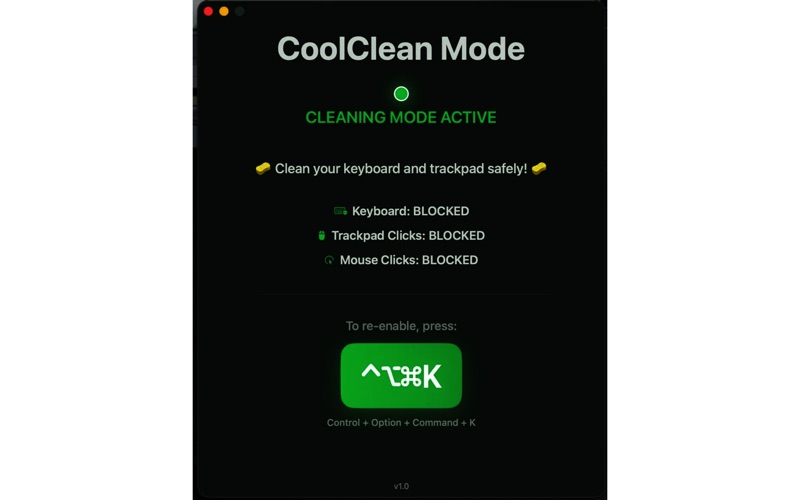
Keep your Mac clean without the chaos! CoolClean Mode temporarily disables your keyboard, trackpad, and mouse clicks so you can safely wipe down your devices with a cloth or cleaning solution—no accidental typing, clicking, or app switching.

FEATURES:
• Blocks all keyboard input during cleaning
• Disables trackpad clicks and gestures
• Blocks mouse clicks to prevent unwanted actions
• Cursor still visible so you know your Mac is responsive
• Simple one-click activation
• Easy exit with keyboard shortcut (⌃⌥⌘K)
• Clean, intuitive interface with clear visual feedback

HOW IT WORKS:
1. Click "Start Cleaning Mode"
2. Grant Accessibility permission (one-time setup)
3. Clean your keyboard and trackpad safely
4. Press ⌃⌥⌘K (Control + Option + Command + K) when finished

PERFECT FOR:
• Cleaning MacBook keyboards and trackpads
• Wiping away dust, crumbs, and debris
• Using cleaning solutions without worry
• Maintaining your Mac's hygiene

REQUIREMENTS:
• macOS 13.0 or later
• Accessibility permissions (the app will guide you)

Your keyboard and trackpad deserve a good cleaning—now you can do it worry-free!