Encrypted Keyboard – Private Chat & Secure Messaging
Protect your conversations like never before with Encrypted Keyboard, a smart and secure keyboard that encrypts your messages in real time before s
Encrypted Keyboard – Private Chat & Secure Messaging
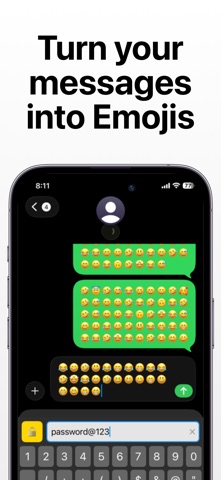
Protect your conversations like never before with Encrypted Keyboard, a smart and secure keyboard that encrypts your messages in real time before sending and decrypts them instantly on receipt. Designed for privacy-focused users, this app ensures your personal chats stay truly private.
Whether you’re chatting passwords, sensitive information, or private thoughts, Encrypted Keyboard adds a powerful security layer directly to your keyboard.

Key Features
1. Real-Time Encryption & Decryption
2. Messages are encrypted as you type and decrypted seamlessly for the recipient — no extra steps, no complexity.
3. Secure Custom Keyboard
4. A fully functional iOS keyboard with built-in encryption, allowing you to type securely in messaging apps.

Secret Key Protection
Use a secret key to lock and unlock conversations, ensuring only intended users can read the message.

Custom Themes & Fonts
Personalize your keyboard with modern dark themes, font styles, and a clean premium UI.

Multiple Encryption Types
Choose from different encryption methods based on your security needs.

Multi-Language Support
Type securely in multiple languages without compromising privacy.

Fast & Lightweight
Optimized for performance with instant encryption and minimal battery usage.

Privacy First. Always.
- No message storage
- No data tracking
- No cloud uploads
- No third-party access
- All encryption happens locally on your device. Your data stays yours.

How to Enable the Keyboard
Go to Settings > General > Keyboard > Keyboards
Tap Add New Keyboard
Select Encrypted Keyboard
Enable Allow Full Access to activate encryption features

Who Is This App For?
Privacy-conscious users
Secure messaging enthusiasts
Professionals sharing sensitive data
Anyone who values confidential communication

Why Choose Encrypted Keyboard?
Unlike regular keyboards, Encrypted Keyboard transforms your everyday typing into a secure communication channel — without changing how you chat.
Simple. Secure. Powerful.

Policy and Terms / EULA: https://sites.google.com/view/mienc