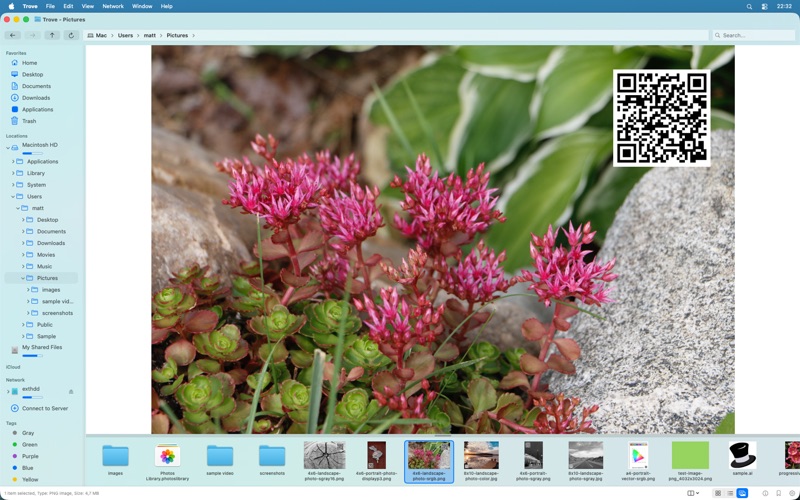
Finally, a file manager for Mac that works the way you expect from knowing Windows Explorer
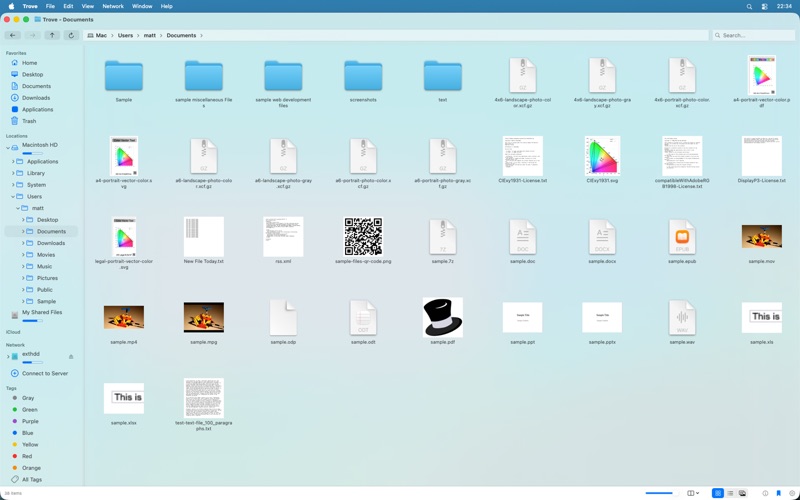
Finally, a file manager for Mac that works the way you expect from knowing Windows Explorer. If you've recently switched from Windows to macOS and find Finder’s logic frustrating, Trove is the right file manager for you. Built with 100% native SwiftUI, it brings the "Classic Explorer" experience to your Mac with blazing fast performance. Skip the learning curve — start managing files productively right away.

Start managing your files now with familiar features:

* Standard Shortcuts: Finally use Cmd+X and Cmd+V to cut and paste files intuitively.
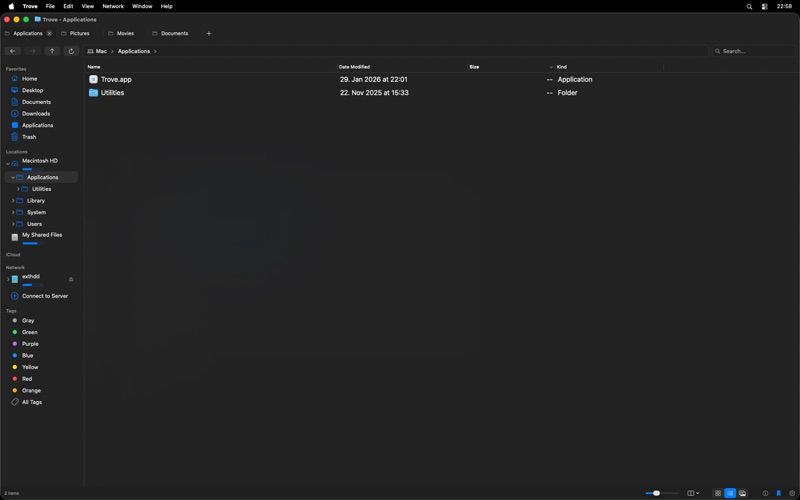
* Tabbed Interface: Manage multiple directories in a single window, just like a web browser.
* Recursive Tree View: Navigate folders deeply with an expandable sidebar tree structure that follows your location.
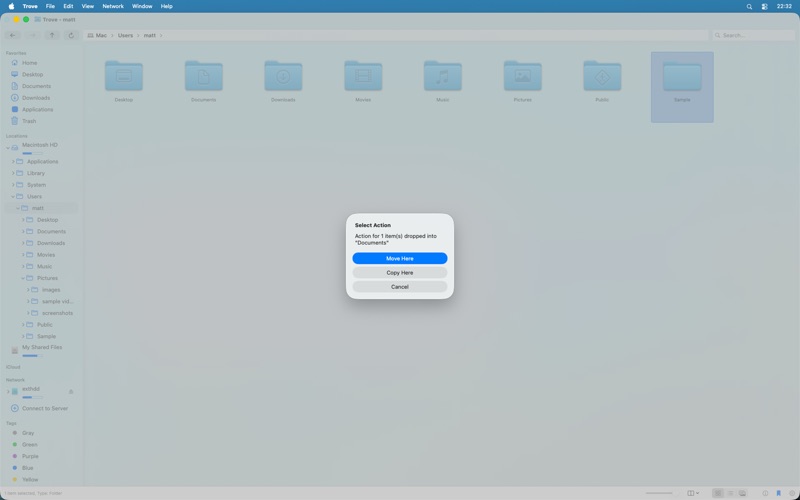
* Right-Click Drag: Drag any file and use the Option (⌥) key to choose "Copy here" or "Move here" from a familiar menu.
* Native Quick Look: Preview documents, movies, and images instantly with full macOS integration and Spacebar support.
* External & Network Support: Seamlessly manage mounted volumes, external drives, and network servers with dedicated eject buttons.
* Multi-Panel File Browsing: Every window and tab can have up to 4 concurrent file browsing panels (Split or Quad view), each with independent view modes (Grid/List/Gallery), browsing history, and undo/redo stacks.

Powerful workflows and an easy to use interface allow you to work productively:

* Smart Sidebar: Auto-expanding tree view that automatically scrolls to your current location.
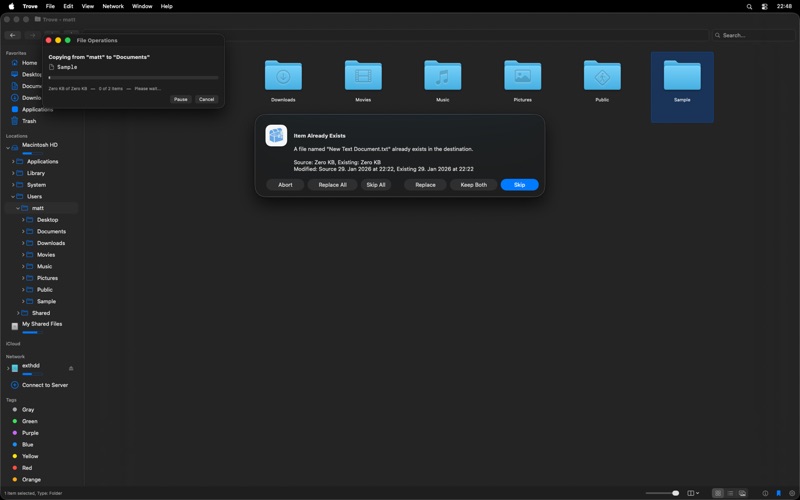
* Intelligent Conflict Resolution: Choose to Skip, Replace, Merge, or Keep Both during complex file operations.
* Configurable Thumbnails: High-quality previews for PDFs, source code, and media with custom generation settings.
* Advanced Search: Fast, efficient file search to find exactly what you need in seconds.
* Undo/Redo Support: Full support for Cmd+Y and Cmd+Z for renames, deletions, and copy actions.
* Customizable Startup: Choose exactly where your new windows should open by default.

Built for modern macOS: Optimized for macOS Sonoma, Sequoia, and Tahoe. Fully supports native Dark Mode and is localized in over 10 languages.

Key Keyboard Shortcuts:
* Cmd + T / W: New / Close Tab
* Cmd + Y / Z: Undo / Redo
* Cmd + Up / Left / Right: Navigate Up, Back, or Forward
* Backspace: Navigate back
* Enter: Navigate to or Open Selected Item
* Escape: Cancel action or undo selection
* DEL: Move to Trash
* Shift + DEL: Delete Immediately
* Cmd + Shift + .: Toggle Hidden Files

We’d love to hear your feedback! Contact us at [email protected].