Unleash your inner artist with AR Draw!

Whether you are a beginner looking to learn how to draw or an experienced artist wanting to perfect your sketches, AR Draw is your ultimate companion. By combining cutting-edge Augmented Reality (AR) with powerful photo editing tools, AR Draw makes creating beautiful art easier and more fun than ever before!

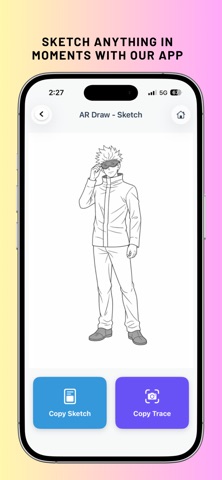
Simply choose an image, project it onto your paper using your device's camera, and trace along the lines. It's like magic! But that’s not all—AR Draw also features an advanced built-in photo studio to edit, enhance, and transform your favourite pictures.

KEY FEATURES:
-Camera Projection

-Pro Tracing Controls: Screen lock to prevent accidental movements while drawing, and adjustable screen brightness for the perfect tracing environment.

Advanced Photo Editor Studio For Free :-

-AI Background Eraser: Instantly remove backgrounds from your photos with just a tap.

-Magic Heal Tool: Seamlessly erase unwanted objects or blemishes from your photos using powerful image inpainting.

-Filters & Adjustments: Apply stunning photo filters, crop your images perfectly, and customize them to fit your artistic vision.

-Add Text to Photos: Easily add and edit custom text on your images.

*My Creations

-Save your completed sketches and edited photos in your personal gallery.

-Share your artistic journey and masterpieces with friends and family on social media!

AR Draw Premium (Ad-Free Experience) Upgrade your experience with our premium subscription to unlock an uninterrupted, 100% ad-free creative environment. Focus entirely on your art without distractions!

**How to use AR Draw:

-Place your phone on a steady surface, like a glass or a tripod.

-Select an image from the app or your own gallery.

-The image will appear semi-transparent on your camera screen.

-Look through your phone and start Draw onto your paper!

Privacy Policy url :- https://orbytrixenterprise.github.io/privacy-policy/art-book/art-privacy-policy.html
EULA :- https://www.apple.com/legal/internet-services/itunes/dev/stdeula/