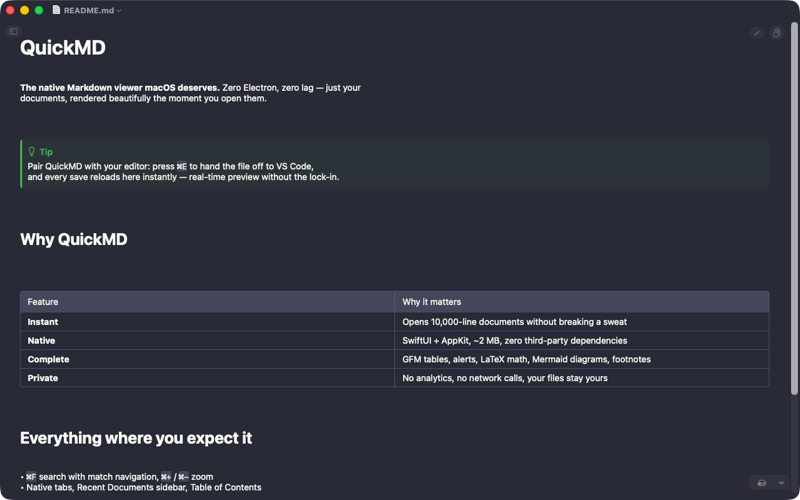
QuickMD is the fastest, most elegant Markdown viewer for macOS. Double-click any .md file and instantly see beautifully rendered content.

COMPANION TO YOUR EDITOR
• Auto-reload: the document refreshes the moment your editor saves it. Enable auto-save in VS Code, Cursor or Zed and QuickMD becomes a live preview
• Open in External Editor (Cmd+E): one-click handoff to VS Code, Cursor, Sublime Text, Zed, Typora, Obsidian, Nova, BBEdit, MacDown or iA Writer (auto-detected, configurable in Settings)
• Copy button on every code block, like on GitHub

INSTANT LAUNCH, INSTANT DOCUMENTS
• Opens in milliseconds, no loading screens
• Native macOS app, no Electron bloat
• Lazy native rendering: even 10,000+ line documents open without freezing
• Native text selection in paragraphs, quotes and code
• Zoom the whole document with Cmd+ / Cmd- / Cmd+0, per window
• New windows remember your preferred size

COMPLETE MARKDOWN SUPPORT
• Headers (ATX and setext), bold, italic, strikethrough
• GitHub-flavored alerts: [!NOTE], [!TIP], [!IMPORTANT], [!WARNING], [!CAUTION] as colorful native callouts
• Tables with proper column alignment (headerless tables too)
• Code blocks with syntax highlighting
• LaTeX math: display ($$...$$) and inline ($...$) with TeX-quality rendering
• Mermaid diagrams with pinch-to-zoom viewer
• Footnotes, task lists, nested lists and blockquotes
• Images (local and remote), links of every style
• YAML frontmatter rendered as a tidy code block
• Windows (CRLF) files and legacy encodings just work

NAVIGATION & SEARCH
• Find in document (Cmd+F) with per-word match count and navigation
• Highlighting across all block types (text, code, tables, blockquotes)
• Table of Contents sidebar (Cmd+Shift+T), auto-generated from headings
• Recent documents sidebar (Cmd+Shift+D)
• Copy the whole document (Cmd+Shift+C) or any section (hover a heading)
• Export to PDF with selectable vector text and rendered Mermaid diagrams; Print

THEMES
• 7 built-in: Auto (follows system), Solarized Light/Dark, Dracula, GitHub, Gruvbox Dark, Nord
• Custom themes: drop a JSON file into the themes folder, live reload, import button in Settings

PRIVACY FOCUSED
• No analytics, no tracking
• Works completely offline
• Your files stay on your device

Perfect for developers, writers, students, and anyone who works with Markdown daily. QuickMD is the Preview.app equivalent for Markdown files.