SubtitlePro for Final Cut is a macOS utility for editors who already have subtitle text and need it placed cleanly on a Final Cut Pro timeline
SubtitlePro for Final Cut is a macOS utility for editors who already have subtitle text and need it placed cleanly on a Final Cut Pro timeline.

Import existing subtitle documents (DOCX, TXT, or SRT), refine subtitle blocks with an on-screen preview, and export a Final Cut Pro–compatible FCPXML subtitle timeline.

Key features:
• Import DOCX / TXT / SRT subtitle text
• Broadcast-friendly line splitting with adjustable character limits
• Sentence/paragraph-aware block segmentation (works even without timecodes)
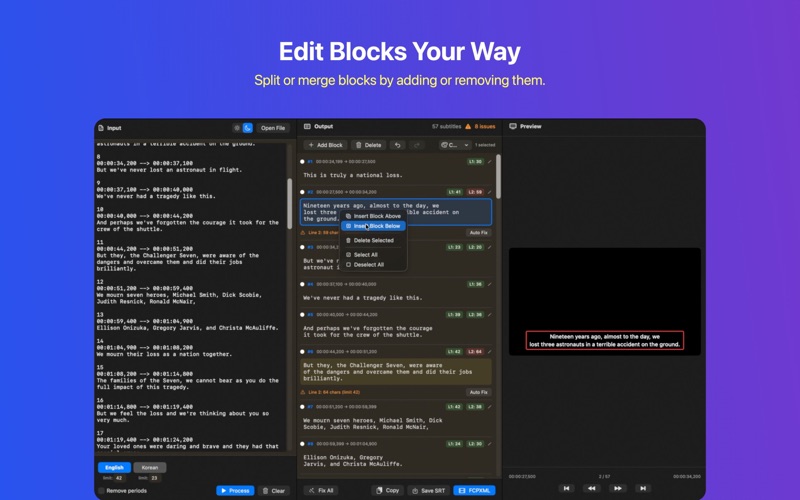
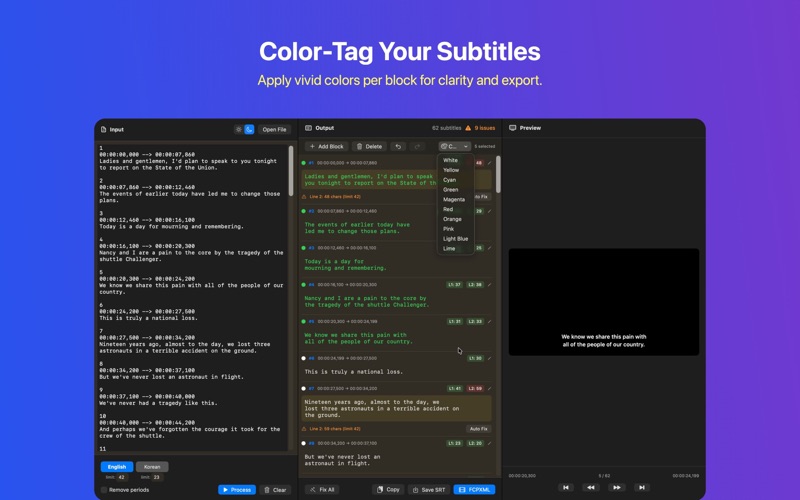
• Add, delete, and edit subtitle blocks before export
• Export FCPXML for direct import into Final Cut Pro
• Works locally on your Mac — no accounts, no tracking, no cloud upload
• Not a speech-to-text or AI transcription app

Designed for broadcast documentaries, current affairs, and long-form interviews where subtitle styling is fixed and the timeline work is repetitive.

How to Use SubtitlePro

1.	Enter Text - Type directly or load a text file
2.	Auto Split - Select language (Korean/English) and click convert
3.	Click "FCPXML" button - Start export
4.	Select Template
-	"Basic Title (built-in)" - No setup required
-	Or ".moti file"
5.	Select Frame Rate - Choose appropriate frame rate
6.	Click "Export" - Save as .fcpxml file
7.	Import to Final Cut Pro - Open the exported .fcpxml in FCP

- Auto character limits: Korean 20 chars/line, English 40 chars/line
- Auto block separation at sentence endings (. ? !) and blank lines
- Maximum 2 lines per block, auto-extends when exceeded
- Add/remove blocks and edit individual blocks for fine-tuning