
CompactKit-Compress all files
0.0 107.11MB 0 Free
Version 1.1.9
Updated 2026-06-08
Developer Quang Huy Nguyen


Description
CompactKit helps you shrink files without overthinking it
CompactKit helps you shrink files without overthinking it. Whether you’re sending photos, sharing videos, cleaning up PDFs, or trimming down code, it keeps things light while preserving what matters.

No complicated settings, no unnecessary steps, just pick what you need and go.

What you can do

Image compression
Reduce photo size for web, chat, or storage without noticeably losing detail.

Video optimization
Make large clips easier to share while keeping playback smooth and clear.

Document cleanup
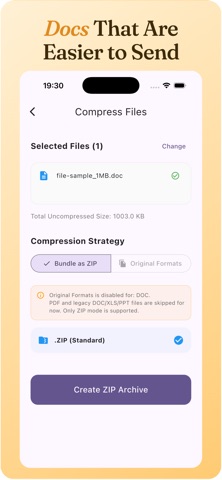
Shrink PDFs and files so they’re easier to upload, send, and archive.

Code minification
Strip unnecessary characters and reduce file size for faster loading and cleaner delivery.

Batch workflows
Process multiple files at once, useful when you’re dealing with large sets.

Smart quality presets
Switch between balanced, high quality, or ultra-light depending on your goal.

How it works
1.	Import your files
Pick images, videos, PDFs, or code files directly from your device.
2.	Choose a preset
Decide what matters most, quality, size, or speed.
3.	Export and share
Save optimized files and send them anywhere without dealing with large uploads.


Why CompactKit
	•	Simple and fast, no learning curve
	•	Works across multiple file types in one place
	•	Designed for everyday use, from casual sharing to developer workflows
	•	Saves storage and time without sacrificing quality

See details at https://compactkit.cc/
Terms of Use: https://www.apple.com/legal/internet-services/itunes/dev/stdeula/
Privacy Policy: https://compactkit.cc/privacy-policy/
Category: Productivity(96543)
Version: 1.1.9
BundleId: com.app.compresskit
Developer: Quang Huy Nguyen
Updated: 2026-06-08
