ZenLevel turns your iPhone into a precision inclinometer with the calm, deliberate feel of a real
machinist's instrument
ZenLevel turns your iPhone into a precision inclinometer with the calm, deliberate feel of a real
machinist's instrument. Built for builders, DIYers, photographers, woodworkers, and anyone who needs
something to be perfectly level, perfectly plumb, or precisely measured.

  FOUR MEASUREMENT MODES

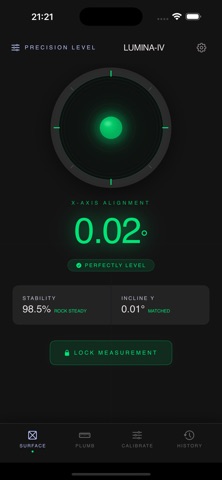
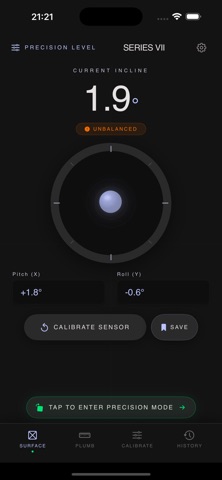
  SURFACE — Lay your iPhone flat on a countertop, shelf, or picture frame. The two-axis bubble instrument
  shows the exact inclination, with individual digits that smoothly roll between values like a laboratory
  dial. When you find true level, the entire interface shifts to a calm, luminous green — the "zen moment" of
   perfect alignment.

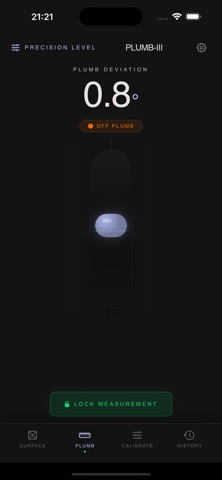
  PLUMB — Press the back of your iPhone against any vertical surface to check if it's truly vertical. A tall
  bubble tube rises and falls based on how far the wall deviates from plumb. A "check hold" indicator warns
  you if your grip is too flat for an accurate reading.

  CALIBRATE — Every sensor drifts. Place your phone on a surface you trust to be flat, wait for the stability
   meter to reach 100%, and tap ZERO OUT. Your calibration offsets persist across app launches, so you only
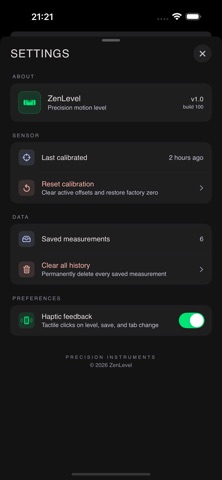
  calibrate once. A separate "Reset calibration" action restores factory defaults at any time.

  HISTORY — Lock any measurement into an elegant log with automatic day grouping. Tap any entry to see full
  details, edit notes, or delete. Swipe-to-delete and Clear All are both available.

  LANDSCAPE PRECISION MODE

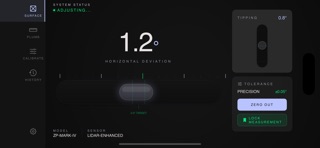
  Rotate your iPhone to landscape and SURFACE transforms into a long horizontal bubble vial, optimized for
  checking picture frames, shelf edges, and countertops along their length. A secondary "tipping" indicator
  helps you keep the phone vertical while measuring, preventing projection errors. The big degree readout
  rolls smoothly as you adjust, giving you real-time feedback.

  DESIGN THAT FEELS LIKE A REAL TOOL

  - Obsidian Laboratory aesthetic — deep blacks, subtle glass panels, signature zen green accent color
  - Rolling digit transitions on every measurement, tuned to 120ms per value change
  - Tactile haptic feedback on level reached, save success, calibration, and tab changes
  - Rotation-lock detection — if your phone is physically held sideways but iOS is locked to portrait, a
  banner guides you to enable rotation
  - Adaptive dark mode app icon
  - All measurements in degrees, accurate to 0.1°

  PRIVACY-FIRST, BY DESIGN

  ZenLevel is a single-player utility:
  - No accounts, no login, no cloud sync
  - No tracking, no analytics, no advertising
  - No network requests of any kind
  - All measurements and calibration data stay in your device's sandbox
  - No third-party SDKs

  WHO IT'S FOR

  - Carpenters and builders verifying walls, cabinets, and frames
  - DIY homeowners hanging shelves, pictures, TVs, and mirrors
  - Photographers checking tripod and subject alignment
  - Woodworkers verifying joinery and surface flatness
  - Industrial designers and engineers who want a phone tool that feels as precise as the real thing

  ZenLevel isn't a novelty. It's a precision instrument that lives in your pocket, ready to settle any
  question about "is this level?" in seconds.