Keep an eye on — and control — any Mac window right from your iPhone or iPad.

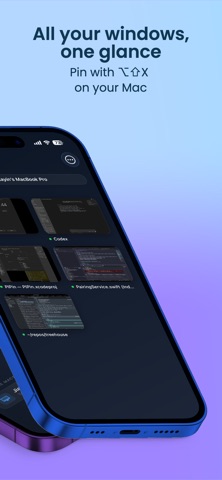
Pin a window on your Mac with ⌥⇧X and it instantly appears on this app. Watch an AI agent work, keep a doc or dashboard visible while you do something else, or take over and drive your Mac from the couch.

You'll need the free PIPin Mac app — get it at pipin.jylljy.top.

• Remote control. Tap to click, long‑press to right‑click, two‑finger swipe to scroll. Switch to trackpad mode for relative cursor moves. iPad trackpad and Bluetooth mouse scroll work too.
• Type from anywhere. The on‑screen keyboard ships with sticky ⌘ ⌥ ⌃ ⇧ modifiers and arrow / esc / tab / delete keys, so Cmd‑Tab, Cmd‑C, and friends just work.
• Real iOS Picture‑in‑Picture. Leave the app and the stream shrinks into a system PIP window that stays on top of anything else you do on iPhone or iPad.
• Local‑only. Streams over your Wi‑Fi network via MultipeerConnectivity. Nothing touches the cloud.
• Zero account. Open the Mac app, open this app on the same Wi‑Fi, tap your Mac, done.
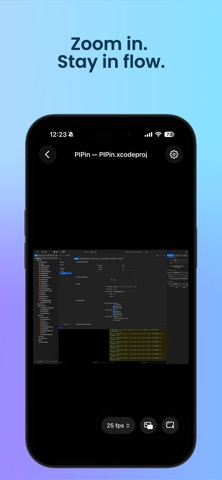
• Multiple PIPs. See every pinned window in a grid, tap to zoom.
• Pinch and pan on the detail view; double‑tap to fill the screen.