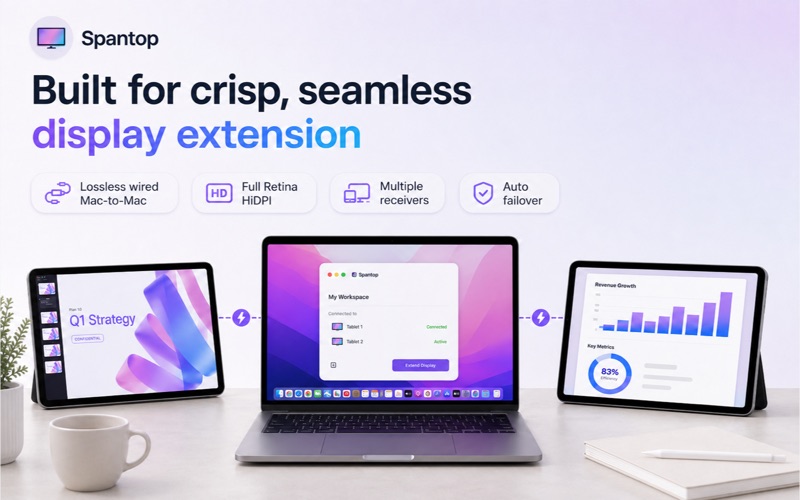
Spantop turns a spare Mac or tablet into a real second monitor for your Mac.

WHAT YOU NEED - SPANTOP WORKS IN PAIRS

1. Your main Mac, running this app (the sender)
2. A second device to become the extra screen — another Mac or a tablet — running Spantop too

Without a second device there is nothing to extend to. Setup takes you straight there: a tablet scans a QR code to get the free companion app, and another Mac uses this same app (one purchase covers your Macs signed into the same Apple ID).

Your Mac treats the second device like a physical monitor — drag windows onto it, use Spaces and Stage Manager, run fullscreen apps, exactly as on a normal external display.

SET UP IN MINUTES

1. Install Spantop on the second device (the in-app QR code takes your tablet straight to it)
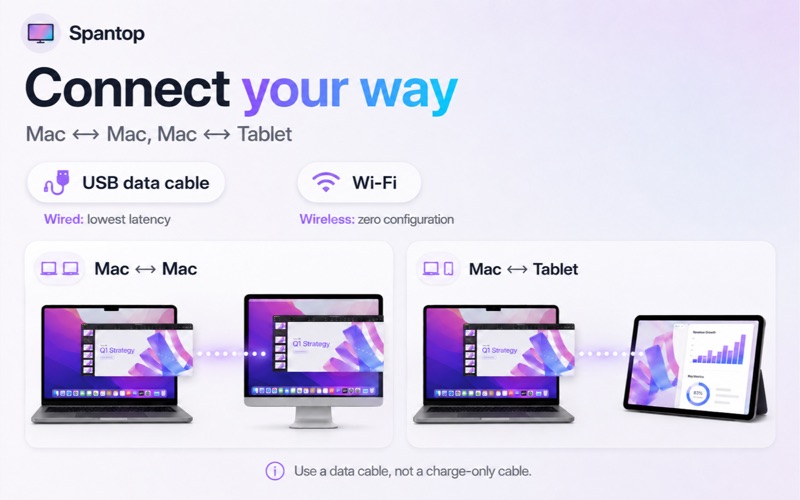
2. Connect a USB-C data cable, or put both devices on the same Wi-Fi
3. Click the Spantop icon in the menu bar — nearby devices appear automatically. Pick yours, accept on the other screen, and you're extended.

FEATURES

• A real macOS display, not a remote-desktop window — Spaces, fullscreen apps and window snapping all behave normally
• Wired USB-C/Thunderbolt: lowest latency, full Retina HiDPI sharpness
• Wireless: zero-configuration discovery over Wi-Fi, with H.265 hardware encoding
• Two Macs connect directly over peer-to-peer Wi-Fi — no shared network or router needed
• Multiple receivers at once — each appears as its own independent display
• Automatic failover: unplug the cable mid-session and the stream hops to Wi-Fi

WIRED CONNECTION - RECOMMENDED

• Lowest latency at full Retina resolution
• Use a DATA cable, not a charge-only cable — charge-only cables carry power but no picture

GOOD TO KNOW

• The second device is a display, not a controller: you keep working with your main Mac's keyboard and trackpad; input on the receiver is not sent back
• Try everything free for 7 days — one-time purchase, no subscription

PRIVACY

Screen Recording permission is required to capture the virtual display. No screen data is saved or sent to any server, ever — frames travel directly from your Mac to your receiver over the cable or your local network.