Turn your classes, recordings, and presentations into professional experiences with PenCan
Turn your classes, recordings, and presentations into professional experiences with PenCan.

PenCan is a complete tool for anyone who records videos, teaches online classes, creates tutorials, delivers presentations, or produces educational content.

With PenCan, you can draw on the screen, show your webcam, display your avatar, use a teleprompter, and record everything in a simple, organized, and professional way.

The biggest advantage is that everything can be used on a single screen. You do not need to switch between multiple apps, windows, or tools. Your camera, avatar, teleprompter, digital pen, recording bar, and quick controls are all available in the same workspace.

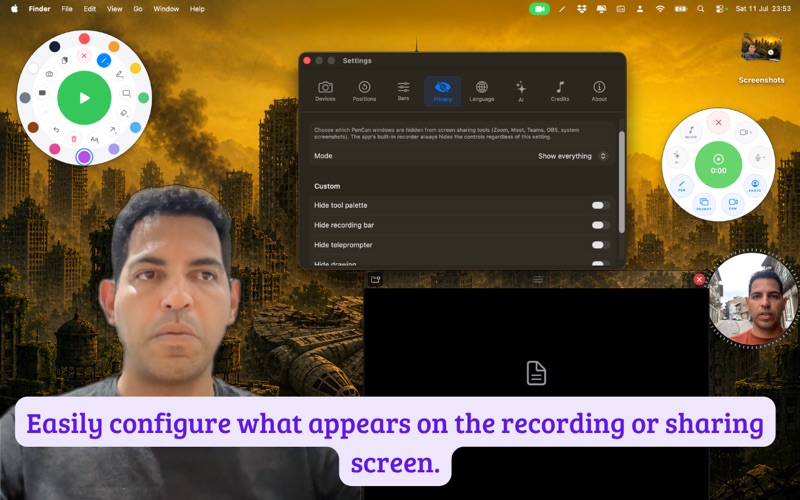
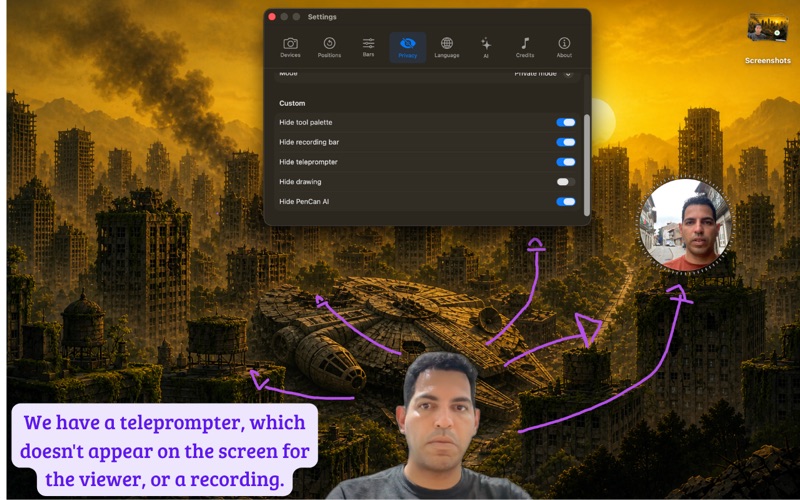
And even better: PenCan’s controls do not appear in screen recordings or screen sharing. You can manage everything during your presentation while your audience sees only a clean, polished, and professional result.

With the drawing mode, you can highlight important ideas in real time, mark key points on the screen, and make your explanation much clearer.

With the integrated webcam, you can appear during your presentation and create a stronger connection with your audience. You can also use an avatar to add more visual identity to your content.

The teleprompter helps you follow your script, keep your speaking flow, avoid forgetting important points, and record with more confidence.

PenCan is ideal for teachers, content creators, speakers, instructors, online course producers, and professionals who want to communicate better.

Key Benefits

Use everything on a single screen.
Draw and highlight information in real time.
Show your webcam during presentations.
Display your avatar for a more professional identity.
Use a teleprompter while recording.
Record your screen with simple controls.
Keep tool controls hidden from screen recordings.
Keep tool controls hidden during screen sharing.
Create cleaner, more professional videos and presentations.

Short Ad Version

Record classes, presentations, and professional videos on a single screen.

With PenCan, you can use your webcam, avatar, teleprompter, digital pen, and screen recorder in one simple tool.

And the best part: PenCan’s controls do not appear in your screen recordings or screen sharing.

You control everything.
Your audience sees only the clean, professional result.

PenCan: your screen, your camera, your script, and your recording in one place.

Sales Page Version

Have you ever tried to record a class or presentation and had to open several apps at the same time?

One app to record the screen.
Another to show your camera.
Another to read your script.
Another to draw or highlight information.
Another to manage the presentation.

PenCan solves this problem.

It brings everything together on a single screen: webcam, avatar, teleprompter, digital pen, screen recording, and quick controls.

This means you can present, explain, highlight, and record without constantly switching between tools.

And there is one essential detail: PenCan’s controls do not appear in screen recordings or screen sharing.

You can control your entire presentation freely, while your audience receives a clean, organized, and professional experience.

With PenCan, your explanations become clearer, your classes become more engaging, and your videos become much more pleasant to watch.

Less improvisation. Fewer open windows. More clarity. More professionalism.

Use PenCan to turn your screen into a complete recording studio.

All our subscribers receive updates every month, ranging from AI services to mentoring for more productive classes.