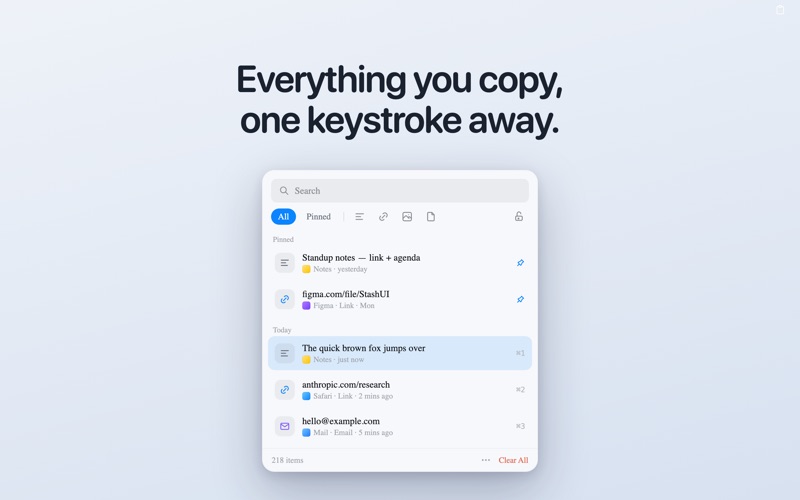
Stash is a clipboard manager that lives in your menu bar. Everything you copy — text, links, and images — is saved automatically, so nothing you copy is ever lost. Open Stash with a keystroke, find what you need, and paste it anywhere.

Fast, private, and beautifully simple. Your clipboard history never leaves your Mac — no account, no cloud, no tracking.

FREE
• Clipboard history — text, links, images, and files
• Drag files and folders straight in
• Instant search as you type
• Filter by type — text, links, images, files
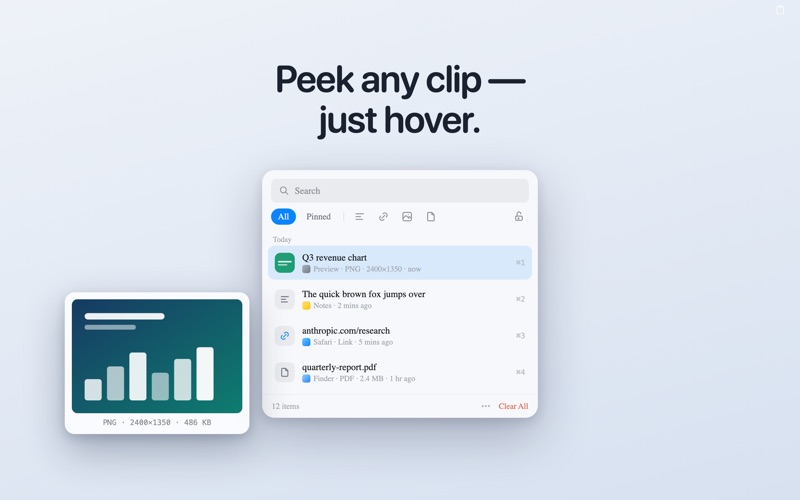
• Quick Look any clip
• Grab any clip back with a click, ↑↓ and Enter, or ⌘1–9 — then ⌘V to paste
• Keep the panel open (lock it) to grab several clips in a row
• Paste as plain text — strip the formatting when you want to
• Global keyboard shortcut to open Stash from any app
• Follows Dark and Light mode

STASH PRO — one-time purchase, yours forever
• OCR — pull the text out of any image or screenshot
• Hover previews — rest the pointer on a clip to see it big: the full image, a file's thumbnail, a colour swatch, or the whole text
• Unlimited history — keep every clip, not just your most recent 200
• Pin your favourites — keep the clips you reuse in a section at the top
• Multi-select — grab several clips and paste them all at once
• Snippets — name your most-used clips and find them in a flash
• Per-app excludes & auto-clear — skip apps you choose, and clear old clips automatically

PRIVATE BY DESIGN
Stash stores everything locally on your Mac. No analytics, no account, and your clipboard is never sent anywhere. Clips your password manager marks as secure are automatically ignored.

One keystroke. Everything you've copied. That's Stash.