NetworksPro puts your entire network configuration one click away — no more digging through System Settings
NetworksPro puts your entire network configuration one click away — no more digging through System Settings.
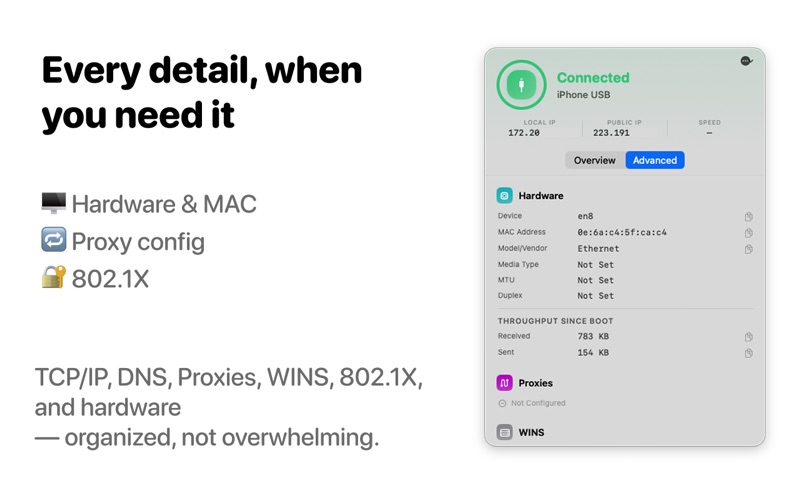
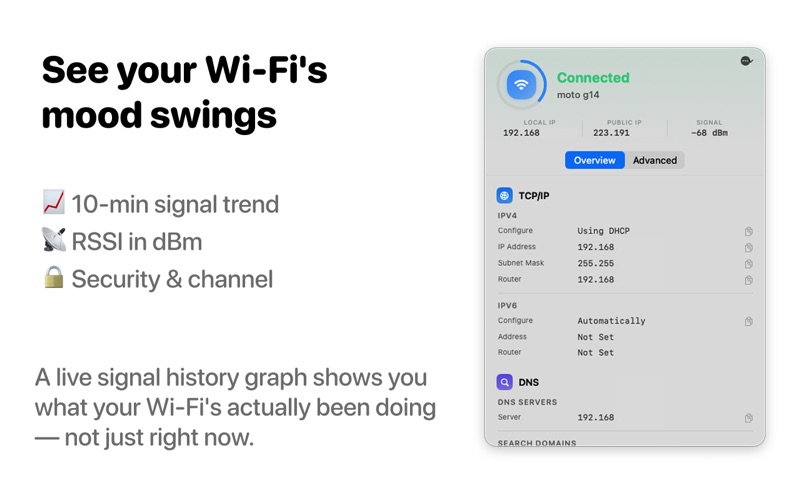
See your connected network's name, IP address, signal strength, and full configuration at a glance, directly from your menu bar. NetworksPro shows everything macOS itself knows about your connection — TCP/IP, DNS, Wi-Fi details, hardware, proxies, and more — in one clean, always-visible view.

At a glance, right in your menu bar
Choose what to show next to the icon: your local IP address, Wi-Fi signal strength, or whether you actually have internet access — not just a network connection. NetworksPro tells the difference.

Everything System Settings shows you, without the clicking
* Local & public IP address
* DNS servers and search domains
* Wi-Fi name, security type, channel, signal strength, and Wi-Fi hardware address
* MAC address, link speed, and duplex for wired connections
* Proxy configuration (HTTP, HTTPS, SOCKS, FTP, and PAC)
* WINS and 802.1X enterprise network settings, when configured

Know before you ask
NetworksPro checks real internet reachability, not just network connection — so you know immediately if you're stuck behind a captive portal or a dead connection, not guessing why a page won't load.

A signal you can actually see
A live signal-strength history graph shows your Wi-Fi connection's stability over the last ten minutes — useful the next time you're trying to figure out if it's your Wi-Fi or your ISP.

Stay in the loop
Get a quiet notification when you join a different network or your public IP changes — handy for noticing when something on your network shifted without you doing it.

Built for people who actually care about their network — developers, IT folks, and anyone who's ever wanted to know why their connection feels slow, without opening five different settings panes to find out.