Turn deadlines into a plan. Turn reminders into action.

DropReady is a local-first macOS study planner and alert utility for the moments you do not want to miss. It helps you plan focused work, remember important tasks, and open exactly what you need when the time arrives.

SMART STUDY PLANS

Preparing for an exam, assignment, presentation, reading, or project? Give DropReady the deadline, scope, starting point, and your availability. It creates a transparent workload estimate and proposes a practical schedule you can review before anything is saved.

• Review and edit every proposed session
• Choose Continuous Focus, Pomodoro 25/5, or custom work and break intervals
• Edit individual activity titles, dates, and times
• Track completed sessions and remaining focus time
• Reschedule one session or replan unfinished work
• Export the schedule as an .ics calendar file
• Reuse a successful plan for your next deadline

STUDY COMPANION

Make every study block easier to begin. Optionally pair a Smart Study Plan with a playlist or album from your Apple Music library. Choose shuffle and looping, then let DropReady start playback with each linked Focus Session, continue through Pomodoro breaks, and pause when the session ends or is stopped.

Change the music or playback settings later without rebuilding your schedule.

FOCUS ON WHAT IS NEXT

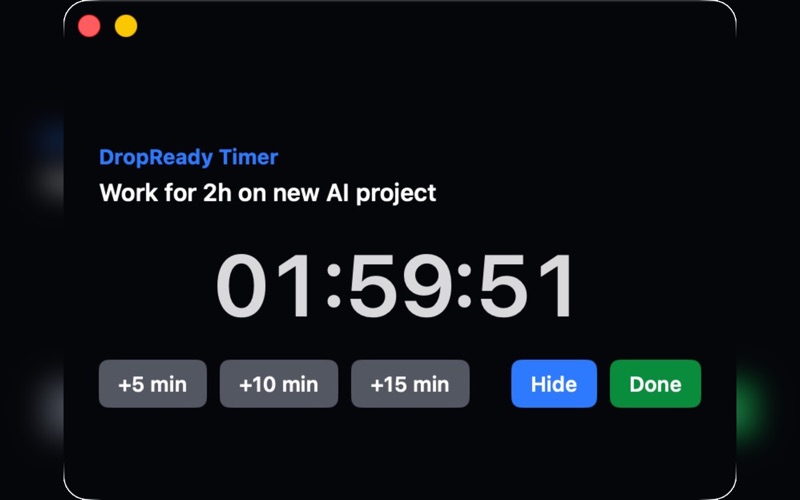
Each scheduled Focus Session shows what you are doing now and what comes next. Add 5, 10, or 15 minutes when you need more time, move to the next activity, or hide the session while its countdown continues in the menu bar.

Choose Alert Start when you want confirmation, or Quiet Start when you want the Focus Session and its Study Companion to begin directly.

SCHEDULED ALERTS AND ACTIONS

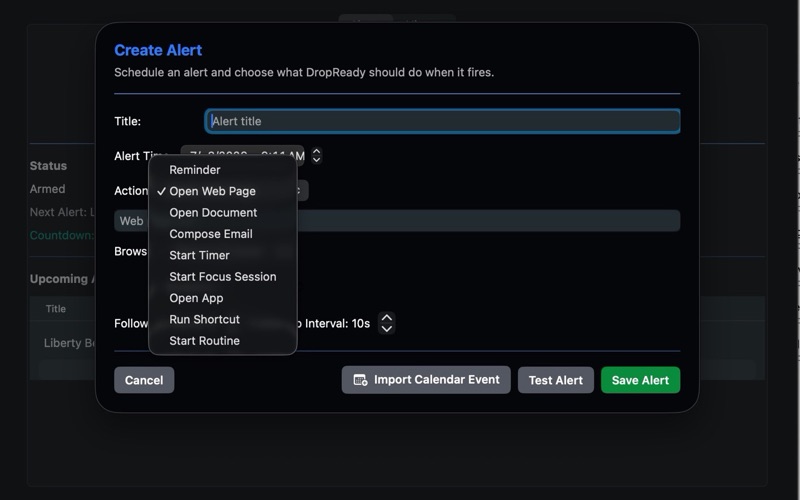
For everyday work and personal routines, DropReady can:

• Show a persistent reminder
• Open a web page in your chosen browser
• Open a document or launch an app
• Prepare an email draft in Apple Mail, Microsoft Outlook, or your default email app
• Run an Apple Shortcut
• Start a timer or multi-activity Focus Session
• Run a routine containing several supported actions
• Import an .ics calendar event and turn it into an alert

EVERYDAY CONTROL

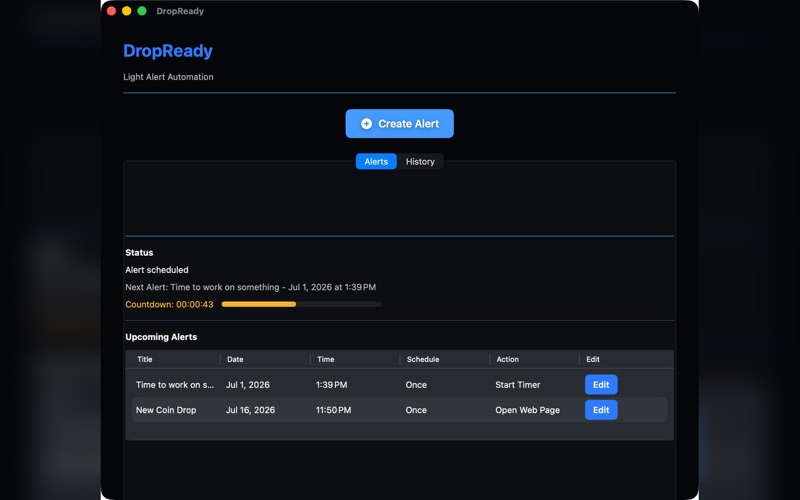
See your next alert and countdown from the menu bar. Keep related Study Plan sessions grouped together, expand a plan only when you need the details, review previous activity in History, reuse earlier alerts and Study Plans, and handle missed alerts after your Mac wakes or turns back on.

LOCAL-FIRST PRIVACY

Your alerts, Study Plans, progress, and preferences are stored on your Mac. DropReady does not require a DropReady account or subscription and does not send your schedule or alert data to a DropReady server.

If you enable Study Companion, MusicKit communicates with Apple's Music service to access and play the playlist or album you select. DropReady stores only its Apple Music identifier, display name, and playback preferences with the plan on your Mac.

DropReady does not execute scripts or user-selected executables.

DropReady gives students, professionals, and anyone with a busy day more structure, focus, and certainty about what happens next.