
Document Scan & Edit
0.0 6.52MB 0 Free
Version 3.0
Updated 2026-07-27
Developer Durmus Caner Bal
Description
Document & Text Scanner Turn paper documents, receipts, notes, and PDF files into editable digital text instantly
Document & Text Scanner

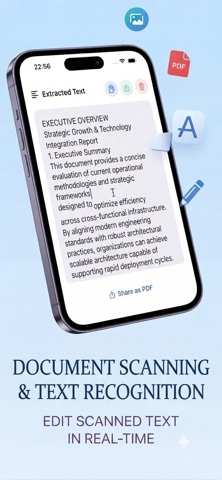
Turn paper documents, receipts, notes, and PDF files into editable digital text instantly. Document Scan reads text quickly and accurately — so you can edit, copy, and share in seconds.

HOW IT WORKS
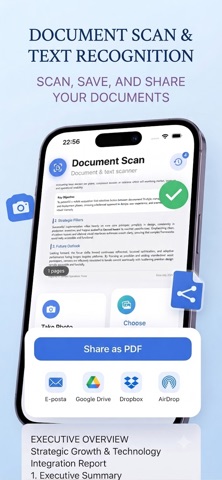
1. Take a photo, pick an image from your gallery, or open a PDF
2. Text is extracted automatically
3. Edit, copy, or share as PDF

KEY FEATURES

• Camera scan — Snap a document and get text instantly
• Photo library — Extract text from saved images
• PDF support — Read text from multi-page PDF files
• Edit text — Refine extracted text right in the app
• One-tap copy — Copy text to clipboard instantly
• Share as PDF — Export and share your scans as PDF
• Scan history — Revisit and continue previous scans
• Multi-language — Supports Turkish, English, German, French, Spanish, Italian, Portuguese, and Japanese

PERFECT FOR
• Students — Digitize notes and textbook pages
• Professionals — Convert invoices, contracts, and documents to text
• Everyone — Copy text from handwritten notes, receipts, or screenshots

Go Premium for unlimited scans and full history access. Start with 3 free scans — try DocScan today!

Privacy-first: Your scans are processed on device and history is stored locally.

Privacy Policy: https://sites.google.com/view/documentscanprivacypolicy
Terms of Use :https://sites.google.com/view/documentscantermsofuse
Category: Productivity(96543)
Version: 3.0
BundleId: combalcaner.DocScan
Developer: Durmus Caner Bal
Updated: 2026-07-27
