Style

Screenshots
9 screenshots Grid- Version
- 1.5.0
- Size
- 37 MB
- First release
- Jun 6, 2026
- Category
- Developer Tools
Description
from the App Store listingRequires a Termix server. Install at https://docs.termix.site/install
Termix gives you full control of your servers from your phone. Connect to your Termix server and manage everything from one place.
SSH Terminal
Open multiple terminal sessions at once with tab-based navigation. Switch between a standard keyboard and a custom terminal keyboard built for SSH use. Customize the keyboard layout and key repeat, save snippets for quick reuse, recall past commands from the history bar, and use hardware keyboards, dictation, and VoiceOver. Sessions stay alive in the background.
File Manager
Browse, view, edit, move, and manage files and folders over SSH. Pin files and add folder shortcuts to get back to what you use most. Compress files, download them through the share sheet, and restore deleted items from the trash.
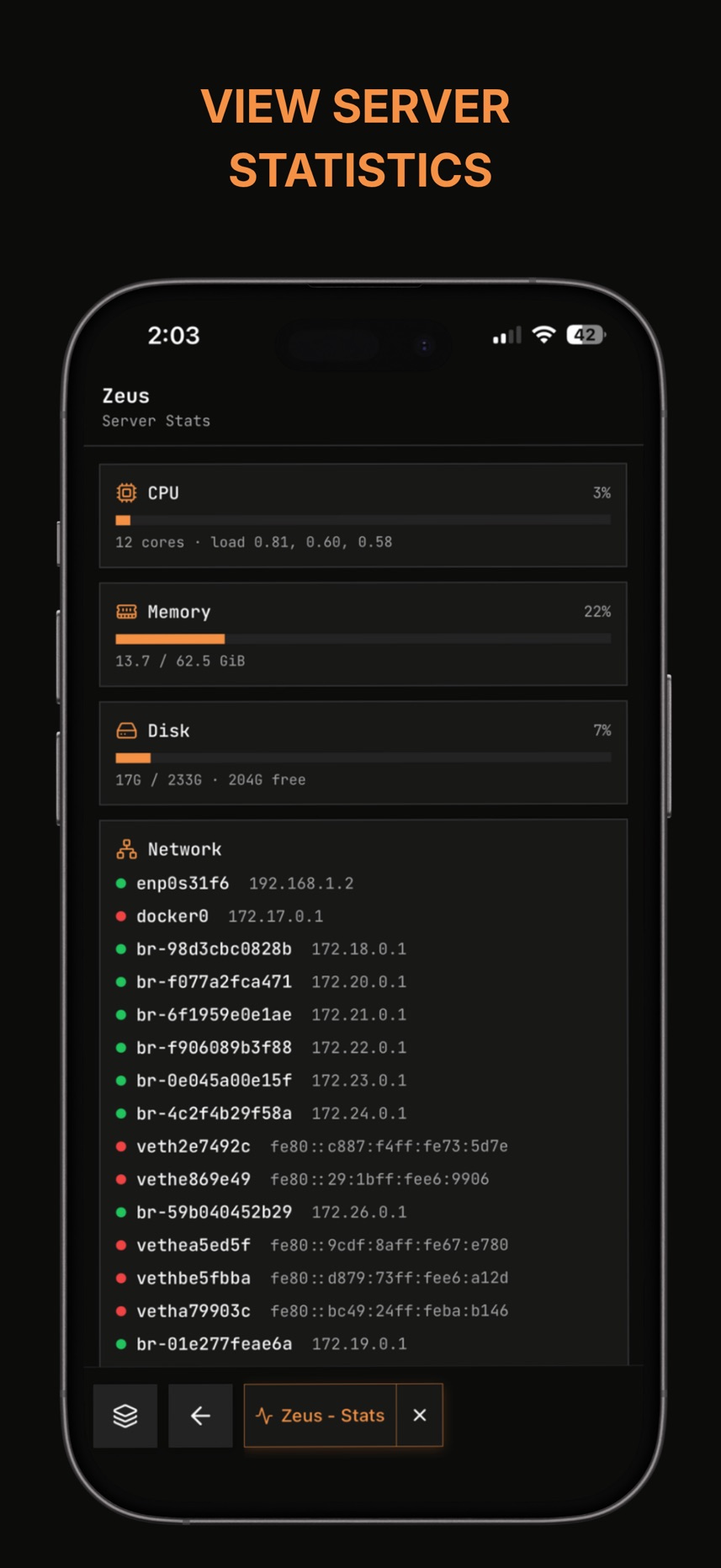
Server Stats
Monitor CPU, memory, disk, network, uptime, running processes, open ports, firewall rules, and login history in real time. Server alerts show up on the hosts screen.
SSH Tunnels
Create, start, and stop SSH tunnels, and set them up per host right from the host editor.
Docker
View and manage Docker containers directly from your phone.
Remote Desktop
Access a graphical desktop on your server (RDP, VNC, and Telnet supported).
Home Screen Widgets
Add widgets to jump straight into a host, run a snippet, or check server status without opening the app. Pick which hosts each widget shows and which tab it opens.
Host Management
Organize your servers into folders. Save credentials and SSH keys per host. Use Quick Connect to jump into a session fast, and wake a machine over the network with Wake-on-LAN.
Settings
Customize your terminal appearance, keyboard layout, and keys. Manage API keys, active sessions, and two-factor authentication for your Termix account, plus change your password or delete your account.
App Lock
Lock the app behind Face ID, Touch ID, or fingerprint, with a PIN as backup.
What users say
0 written reviewsNo written reviews yet
Share cards #
Instagram / Weibo / RED open the system share sheet with the generated card image
Termix - Remote Access
Developer Tools
Free
iOSAppGallerywww.iOSAppGallery.com


Termix - Remote Access
Developer Tools
Free
Scan to view
iOSAppGallery · iOSAppGallery.com
Discover iOS apps & games
Termix - Remote Access
Developer Tools
Free
Scan to view
iOSAppGallery · iOSAppGallery.com
Discover iOS apps & games
Termix - Remote Access
Developer Tools
Free
iOSAppGallerywww.iOSAppGallery.com


{"@context":"https://schema.org","@graph":[{"@type":"SoftwareApplication","name":"Termix - Remote Access","applicationCategory":"Developer Tools","operatingSystem":"iOS","url":"http://iosappgallery.com/en/share/6752672071","image":"https://is1-ssl.mzstatic.com/image/thumb/Purple211/v4/43/c5/15/43c51551-134d-3423-ef74-24ca5fd764d1/AppIcon-0-0-1x_U007epad-0-1-85-220.png/512x512bb.jpg","aggregateRating":{"@type":"AggregateRating","ratingValue":4.5,"ratingCount":2,"bestRating":5},"offers":{"@type":"Offer","price":0.000,"priceCurrency":"CNY"}},{"@type":"BreadcrumbList","itemListElement":[{"@type":"ListItem","position":1,"name":"Apps","item":"/"},{"@type":"ListItem","position":2,"name":"Developer Tools"},{"@type":"ListItem","position":3,"name":"Termix - Remote Access"}]}]}