WiFiWize is a professional WiFi analysis and network diagnostic tool for macOS. Monitor your WiFi signal in
   real-time from the menu bar, scan nearby networks, scan for rogue APs, analyze channel congestion, and run 10 built-in network
   tools — all with zero third-party dependencies.

 WIFI SCORE & INSIGHTS
  - Computed 0-100 quality score based on RSSI, SNR, channel width, and generation
  - 30+ actionable insights with severity levels
  - Rogue AP detection: flags access points with mismatched manufacturers broadcasting your SSID
  - Enterprise network awareness: recognizes campus/hotel deployments with many APs
  - Channel width recommendations with context (explains why 40 MHz may be intentional on enterprise
  networks)
  - Security analysis: identifies WPA3, WPA2, WEP, and open networks
  - Dismissable suggestions with restore option

  10 NETWORK DIAGNOSTIC TOOLS
  - LAN Scanner: ARP + ping sweep with manufacturer lookup and continuous rescanning
  - Port Scanner: TCP connect scan with 50 concurrent connections
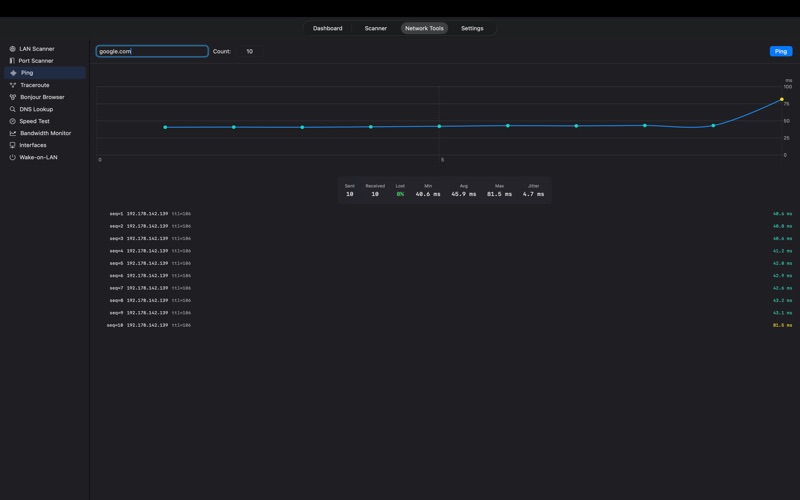
  - Ping: ICMP with live latency chart and statistics (min/avg/max/jitter/loss)
  - Traceroute: Hop-by-hop path tracing
  - Bonjour Browser: mDNS service discovery with IP resolution and brand detection
  - DNS Lookup: Forward (A/AAAA) and reverse (PTR) resolution
  - Speed Test: Download/upload via Cloudflare with results history
  - Bandwidth Monitor: Per-interface throughput with unit selection (Mbps, GB/s, etc.)
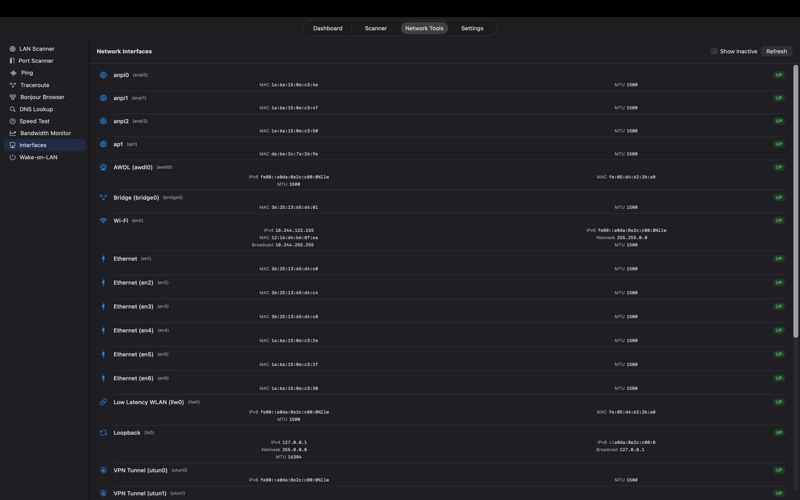
  - Network Interfaces: All interfaces with IP, MAC, netmask, MTU, and status
  - Wake-on-LAN: Send magic packets to wake devices on your network


Menu bar quick stats:
  - Always-accessible menu bar icon with detailed popover
  - See RSSI, channel, band, width, WiFi generation, BSSID, and transmit rate at a glance
  - Mini signal graph and WiFi quality score
  - App stays running when the main window is closed