Draw on your screen, build whiteboards, and organize ideas visually.

ScreenAnnotations is a native macOS menu bar app for screen annotation, whiteboarding, presentations, and AI-assisted diagramming. Use it as a transparent overlay on top of any app, or switch to a dedicated whiteboard workspace for diagrams, lessons, demos, notes, and visual explanations.

NEW IN 1.6.1

- toolbar and gallery controls now respond on press and reveal on hover
- tool selection springs into place, and color pickers slide between swatches
- board cards lift on hover, and the toolbar materializes in when a session starts
- full Reduce Motion support: animations become gentle cross-fades
- Reduce Transparency and Increase Contrast make panels solid with a defined edge

DRAW ON YOUR SCREEN

Screen Overlay mode lets you draw directly over your desktop, browser, design tool, IDE, or presentation:
- Pen, Highlighter, Arrow, Line, Shape, Text, Formula, Image, Eraser, Laser Pointer, Select, and Hand tools
- keyboard shortcuts for fast tool switching
- color, width, stroke, and fill controls
- straight, curved, and elbow arrows

WHITEBOARD WORKSPACE

Use fullscreen or windowed whiteboard mode when you want a clean canvas:
- infinite pan and zoom
- multiple boards with an All Boards gallery
- save, rename, organize, import, and reopen boards
- background patterns including Blank, Dots, Grid, and Lines

DIAGRAM AND LAYOUT TOOLS

Clean up ideas without leaving the canvas:
- automatic AI layout with smart connector routing
- live alignment guides and spacing measurements
- align left, center, right, top, middle, and bottom
- distribute horizontally or vertically
- arrange items into rows, columns, or a grid
- graph-aware layered, tree, and grid layouts
- connected arrows stay attached as nodes move

WHITEBOARD CONTENT

Whiteboard mode supports more than freehand drawing:
- sticky notes with editable text and colors
- editable tables with add row/add column, autogrow, fill, and text color
- rich link cards with preview image, icon, title, and host

DIAGRAMS, STEM, AND TEACHING

ScreenAnnotations includes a broad shape library for visual explanation:
- general drawing and flowchart symbols
- architecture and computer science shapes
- science and lab shapes
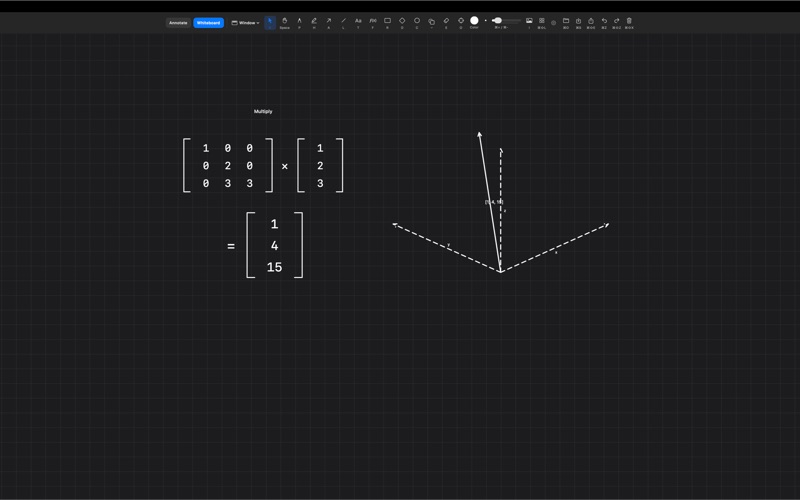
- math, physics, electronics, vectors, matrices, and graphing tools
- LaTeX-style formula rendering

PRESENTATION MODE

Turn whiteboards into scene-based presentations:
- create scenes from the current view or selection
- manage scenes in a dedicated Scene Manager
- rename, duplicate, reorder, update, switch, and delete scenes
- use scene thumbnails and multi-select cleanup
- animate transitions between scenes, including Fade and Dip to Black

BOARD HISTORY

Whiteboards include local history tools:
- save manual snapshots
- automatic snapshots while you work
- restore an earlier board state
- duplicate a snapshot as a new board
- configure snapshot retention

KEYBOARD CONTROL

- command palette for running common actions
- board switcher for jumping between whiteboards
- configurable hotkeys for annotation, whiteboard, cursor highlight, and spotlight

LOCAL AI / MCP

ScreenAnnotations includes local MCP support for AI-assisted whiteboard and screen drawing, compatible with Claude, Codex, and other MCP clients:
- generate full diagrams from nodes and edges, laid out and routed automatically
- layered, tree, and grid layouts with themes and Mermaid input
- align, distribute, grid-arrange, tidy, and lint the layout
- draw shapes, arrows, formulas, text, academic objects, and batches
- create and manage boards; create, present, and transition scenes
- save, list, restore, and duplicate snapshots

SAVE, EXPORT, AND WORK LOCALLY

- save as `.screenannotation` files
- export transparent PNGs
- multi-display support
- menu bar app plus optional Dock icon
- no cloud, no analytics, no tracking, no account
- no Input Monitoring or Accessibility permission request

macOS 15.0 or later.