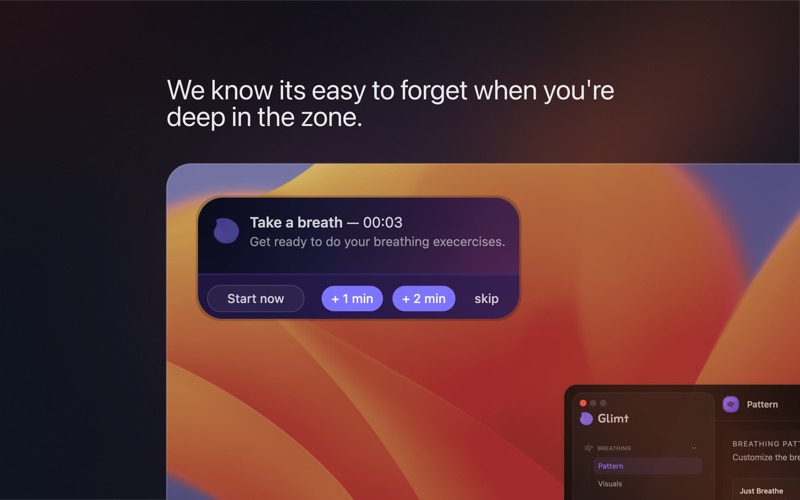
You probably breathe fine when you're relaxed. It's the other hours — deep in building your dreams, grinding through your todos or in back-to-back meetings — where it gets shallow, fast, and forgotten. Glimt lives in your menu bar. It watches your day quietly. At whatever interval feels right to you, it floats a gentle breathing prompt over your screen, guides you through a round of Box Breathing, 4-7-8, or Just Breathe, and disappears when you're done. You go back to work. Calmer.

That's it. No apps to open. No routines to remember.

BREATHING EXERCISES
Choose from three proven techniques — or build your own:
• Just Breathe (5–5) — a slow, equal inhale and exhale. Simple enough to do in any moment, anywhere.
• Box Breathing (4–4–4–4) — the pattern used by Navy SEALs and athletes to reset the nervous system under pressure. Equal phases, adjustable length.
• 4-7-8 — a longer hold that slows the heart rate. Good for anxiety and winding down after intensity.
• Custom — set your own inhale, hold, exhale, and hold-out durations. Every phase is independent.
A glowing orb expands and contracts with your breath — easy to follow without thinking. A short countdown plays before each session so you arrive at the breath already calm. Sessions run 1–20 rounds, short enough to fit between any two meetings.
• Playlists — Combine sequences of breath into a playlist. Fully customized sessions with maybe a warm up, a main course and a cool down.

SMART REMINDERS
Set an interval and forget it. Glimt taps you on the shoulder at fixed or random intervals throughout your working hours.
• Fixed or random scheduling — remind me every 45 minutes, or somewhere between 20 and 60.
• Active Hours — define your work window. Glimt stays quiet before your day starts and after it ends.
• Smart Pause — automatically holds reminders whenever any app is using your microphone or camera. You'll never get interrupted mid-call. It only checks whether devices are in use — it records nothing, captures nothing.
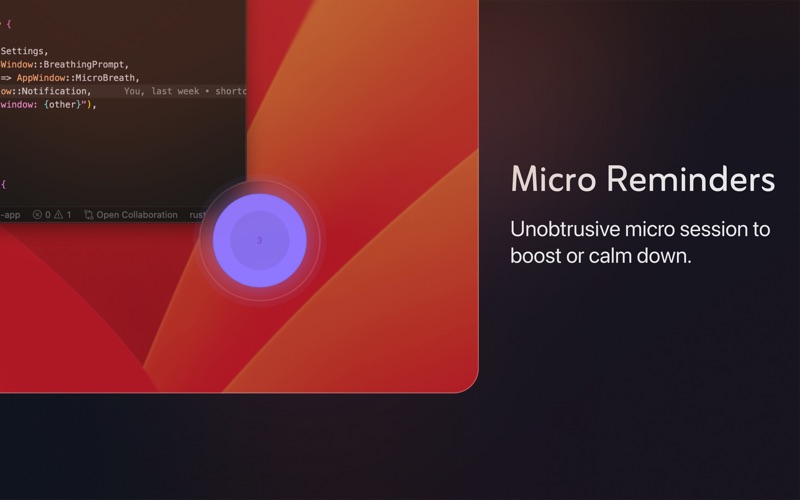
• Micro Reminders — a tiny glowing orb floats up, guides you through a quiet 3-round breath, and disappears on its own. No tapping required.
• Pause anytime — silence all reminders for a focus session with one click. Resume whenever you're ready.
MACOS SHORTCUTS INTEGRATION
Glimt connects to the macOS Shortcuts app. Assign any shortcut to fire when a breathing session starts or ends — or when a micro reminder plays. Run as many as you like per event, in sequence.
Practical examples:
• Pause music when breathing starts, resume when it ends
• Set Slack status to Away or BRB automatically
• Enable Do Not Disturb or a Focus mode
• Send yourself a reminder, log to a note, trigger a HomeKit scene
If a shortcut gets renamed or deleted in Shortcuts, Glimt flags it so nothing breaks silently.

DESIGNED FOR MACOS
• Lives in the menu bar — no dock icon, no clutter
• Frosted glass windows and smooth animations that feel native
• The prompt floats above your work and disappears when it's done
• Launch at login so it's always ready
• Silent auto-updates in the background
ONE-TIME PURCHASE. NO SUBSCRIPTION.
No renewal. No account. No card kept on file after purchase.
You get one year of updates. After that, keep using the version you have for as long as you want — or buy again if you want what's new. Nobody's holding your app hostage.
Most tools help you do more