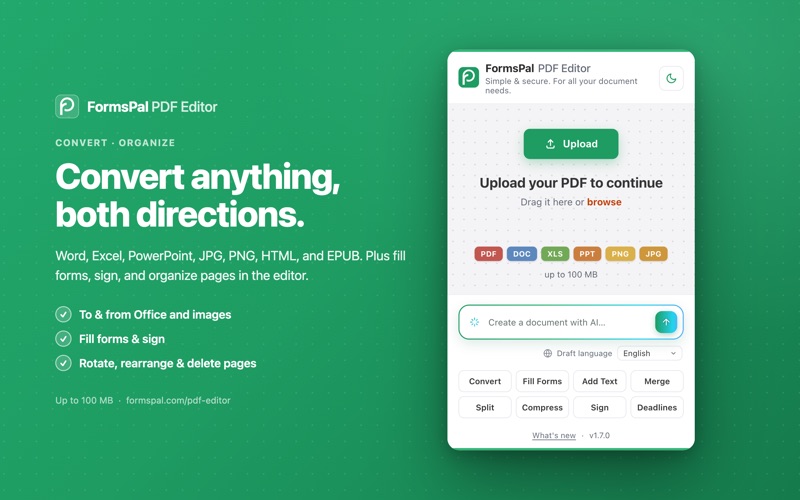
Edit, fill, sign, convert, and create documents, right from your Safari toolbar. FormsPal PDF Editor opens the FormsPal editor (or its AI generator) with your content already loaded. No re-uploading, no copy-paste, no sign-up.

EDIT ANY FILE
Drag a PDF onto the popup and it opens in the editor, ready to go. Word, Excel, PowerPoint, PNG, and JPG work too, up to 100 MB.

EDIT THE PDF YOU'RE VIEWING
Reading a PDF in your browser? The popup leads with "Edit this PDF in FormsPal." One click and it's in the editor, with no need to save it first.

CREATE WITH AI
Describe what you need and FormsPal AI drafts it: a cover letter, lease, invoice, bill of sale, service contract, or a simple letter. The prompt even adapts to the page you're on.

RIGHT-CLICK ANYTHING
Send a PDF link straight to the editor, draft a document from text you've selected, or turn an image into a document, all from the context menu.

IN THE EDITOR YOU CAN:
• Edit PDF text, images, and pages
• Fill out forms and add fillable fields
• Sign by typing, drawing, or uploading your signature
• Convert to and from Word, Excel, PowerPoint, JPG/PNG, HTML, and EPUB
• Rotate, rearrange, and delete pages

There's also a one-click link to FormsPal's court and legal deadline calculator.

PRIVATE BY DESIGN
Your file stays on your device until you choose to upload. Every transfer uses 256-bit TLS. The extension collects no analytics and sends nothing to the developer. (Not intended for PHI.)

Light and dark themes, and no account required.

Open the editor: https://formspal.com/pdf-editor/