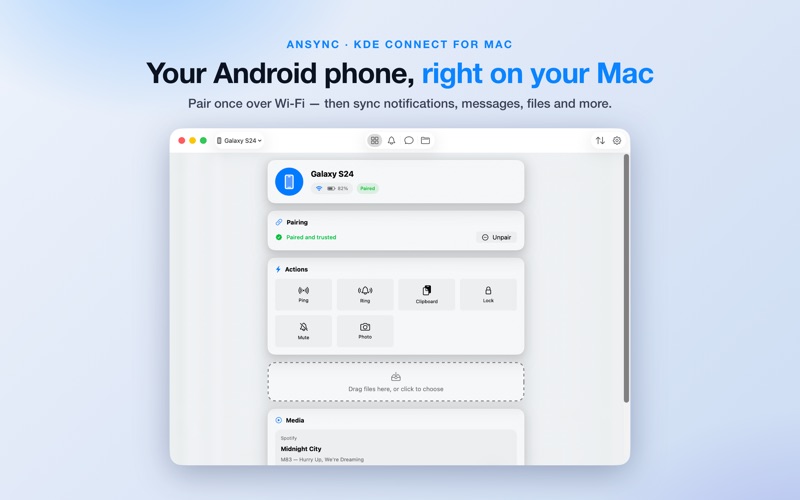
AnSync brings your Android phone to your Mac.

Built on the open KDE Connect protocol, AnSync works with the KDE Connect app on your Android phone.

NOTIFICATIONS
• See your phone's notifications right on your Mac
• Reply to messages inline, without picking up your phone
• Copy one-time codes with a single click
• Trigger notification actions

MESSAGES
• A full SMS & MMS client
• Browse conversations and send texts from your keyboard
• View photo and media attachments

FILES
• Drag and drop files to send them to your phone
• Browse your phone's entire storage over Wi-Fi
• Download, upload, rename and delete

MEDIA
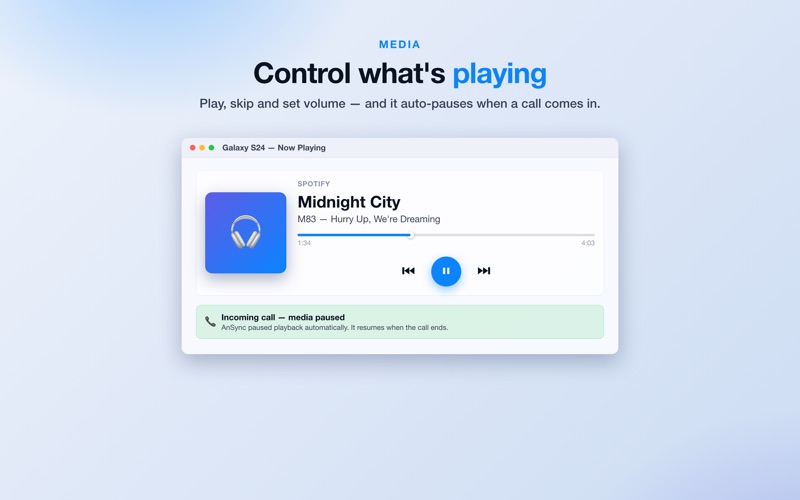
• Control whatever is playing on your phone
• Play, pause, skip tracks and set the volume
• Playback pauses automatically when a call comes in

QUICK ACTIONS
• Ring your phone to find it
• Lock it remotely
• Share your clipboard both ways
• Check battery level and cellular signal at a glance
• Capture a photo with the phone's camera

REMOTE INPUT
• Use your phone as a trackpad and keyboard for your Mac
• Turn it into a presentation pointer
• Or a pressure-sensitive drawing tablet

PRIVACY FIRST
• 100% local — a direct, encrypted connection between your devices over your own Wi-Fi
• No account, no cloud, no tracking, no ads
• Built for the Mac App Store with full sandbox protections

REQUIREMENTS
• The free, open-source KDE Connect app installed on your Android phone
• Both devices on the same Wi-Fi network

AnSync is an independent app and is not affiliated with or endorsed by KDE. "KDE Connect" is a trademark of the KDE community.