Overview
Password Generator 26 makes creating secure passwords effortless across iPhone, iPad, and Mac
Overview
Password Generator 26 makes creating secure passwords effortless across iPhone, iPad, and Mac. Whether you need a random complex password, a memorable passphrase, or a quick PIN, generate it in one tap. Password generation works offline, with optional iCloud syncing for saved presets.

Why You'll Love It
• Universal purchase: one app for iPhone, iPad, and Mac.
• Accessibility-first: VoiceOver labels spell passwords phonetically, describe every segment, and identify uppercase/lowercase letters. Readable Display makes passwords easier to verify.
• Accessible preset: one-tap setup optimised for screen-reader users and anyone who prefers clearer password presentation.
• Custom presets: save your favourite configurations and sync them across devices with iCloud.
• Dark Mode controls: follow the system, force Dark Mode on, or keep the app in Light Mode.
• App Lock: protect recent passwords and settings with a password or Face ID / Touch ID.
• Clipboard auto-clear: copy with confidence.
• No accounts, no ads, and no cloud dependency for password generation.

Key Features
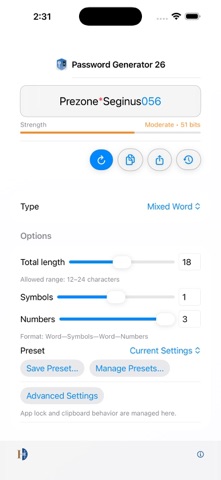
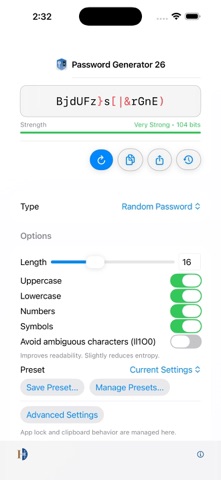
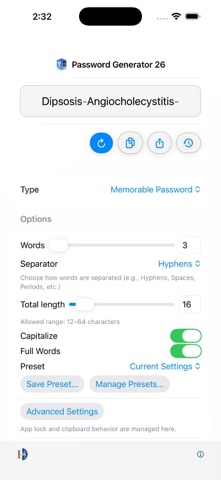
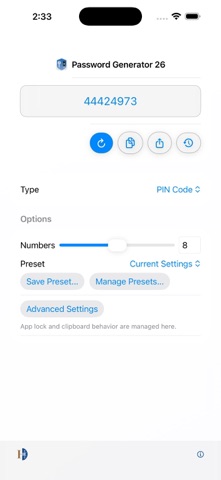
• Multiple password types: Mixed Word, Memorable, Random Password, and PIN.
• Fine-grained controls: total length, symbols, numbers, and format rules.
• Presets: save, apply, update, export, and sync your favourite configurations.
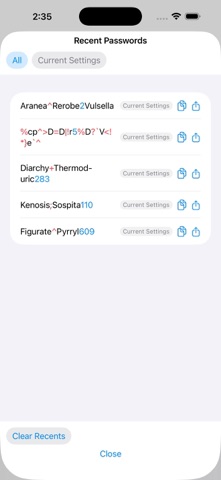
• Recent passwords: view and copy recent results, with optional app lock.
• App Lock: protect access with a password and optional Face ID / Touch ID.
• Clipboard auto-clear: optional timed clipboard wipe.
• iCloud preset sync: keep saved setups consistent across devices.

How to Use
1. Choose a Type, such as Mixed Word, Random Password, Memorable Password, or PIN.
2. Adjust options such as length, symbols, and numbers.
3. Tap Generate to create a new password.
4. Tap Copy to copy it to the clipboard.
5. Save a preset if you want to reuse this setup later.

Presets
• Apply: use a saved configuration immediately.
• Update from current: overwrite a preset with current settings.
• Sync: keep presets aligned across devices with iCloud.
• Export presets: share or back up your preset list.

Security
• Optional App Lock protects access to saved history and settings.
• Biometric unlock is available after you set a password.
• Clipboard auto-clear helps reduce accidental exposure.
• Password generation works locally and does not require an account.