
DashCam Studio
0.0 703.72KB 0 ¤38.00
Version 0.9.0
Updated 2026-02-18
Developer Sujin Lee


Description
DashCam Studio is a native macOS app for viewing, managing, and exporting Tesla dashcam recordings
DashCam Studio is a native macOS app for viewing, managing, and exporting Tesla dashcam recordings.

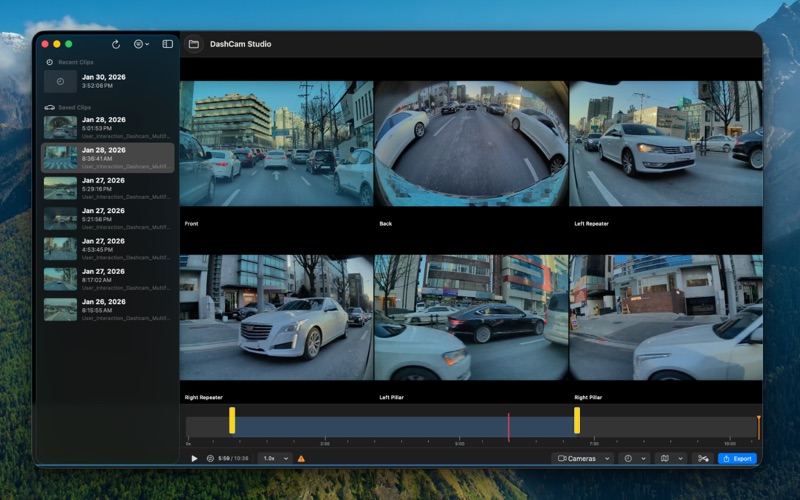
Play back up to 6 camera angles in perfect sync — front, rear, left repeater, right repeater, left pillar, and right pillar — all at once.

MULTI-CAMERA PLAYBACK
• Synchronized playback across all available cameras
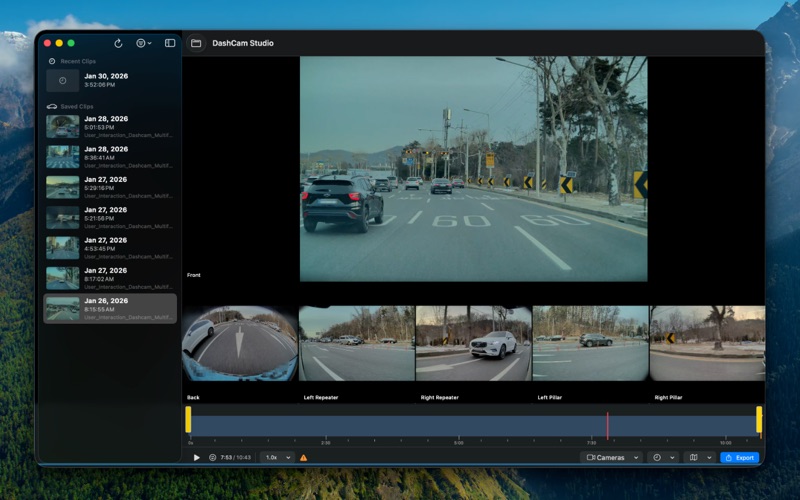
• Three layout modes: Grid, Front Focused, and Single Camera
• Adjustable playback speed: 0.5x, 1x, 1.5x, 2x
• Trim range playback — play only the section you need
• Event trigger marker on the timeline for instant navigation

SMART FOLDER SCANNING
• Automatically recognizes TeslaCam folder structure (RecentClips, SavedClips, SentryClips)
• Parses event metadata including city, reason, and GPS coordinates
• Search and filter events by name, city, or trigger reason
• Drag and drop a TeslaCam folder to get started instantly

POWERFUL EXPORT
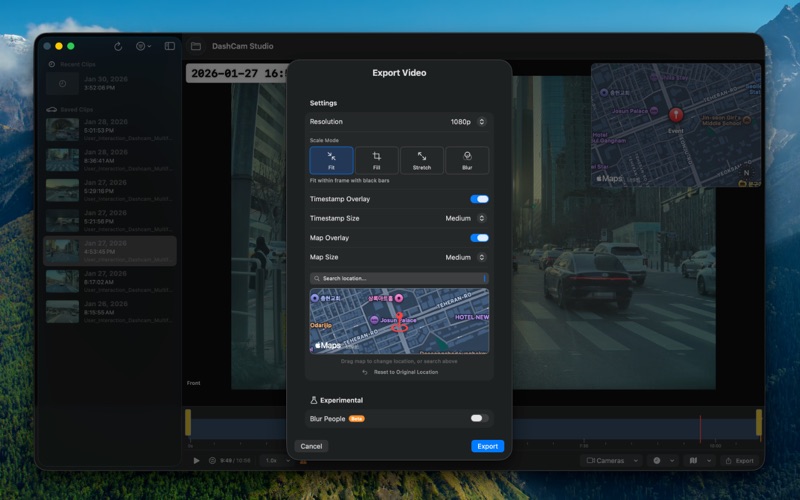
• Choose resolution: Original, 1080p, or 720p
• Four scale modes: Fit, Fill, Stretch, and Blur Background
• Burn-in timestamp overlay with three size options
• Burn-in map overlay showing the event location
• Set a custom location by searching or dragging the map
• Export only the trimmed section
• Blur people for privacy (Beta) — detects and blurs pedestrians using on-device machine learning

LIVE PREVIEW OVERLAYS
• See timestamp and map overlays in real time while playing back, before you export

KEYBOARD SHORTCUTS
• Space to play/pause, arrow keys to skip ±5 seconds
Category: Photo & Video(28122)
Version: 0.9.0
BundleId: com.apex.dashcamstudio
Developer: Sujin Lee
Updated: 2026-02-18
