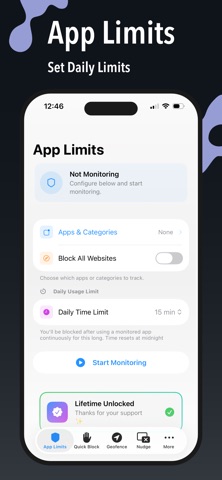
Take back control of your screen time — and help your kids do the same.

Stop Scrolling puts real limits on the apps that eat your day. And now it goes
further: you can set your child's daily app limit from your own iPhone.

NEW — PARENTAL CONTROLS

Set up your child's iPhone once, then manage their limits from yours. No more
borrowing their phone every time you want to change something.

• Set your child's daily app limit from your own iPhone
• Turn website blocking on or off remotely
• Lock their settings behind a parent PIN only you know
• Link more than one child's phone
• Sign in with Apple — your children are still there on any iPhone you sign in
  to, even after reinstalling

HOW IT WORKS

1. On your child's iPhone, install Stop Scrolling while it's signed in to their
   Apple Account. Run the child setup: choose which apps to limit, set a daily
   limit, and create a parent PIN.
2. Their phone shows a 6-digit code.
3. On your iPhone, open More → Parental controls → My children, sign in, and
   enter that code.

From then on, you change their daily limit from your own phone.

FOR YOUR OWN SCREEN TIME

• App Limits — pick the apps that distract you and set a daily time limit
• Quick Block — block distracting apps right now, for as long as you choose
• Nudge — get intercepted before a distracting app opens
• Geofence — block apps automatically when you arrive somewhere
• Squat & Push-Up Mode — earn your way back in with real movement
• Analytics — see your blocking history and focus streaks

PAY ONCE

Premium unlocks with a single one-time purchase. No subscription, ever.

PARENTAL CONTROLS — WHAT YOU NEED

• Your child's iPhone must be signed in to their own Apple Account, and that
  account must be a child in your Family Sharing group.
• Setup runs on your child's phone and needs Screen Time permission.
• Limit changes you make apply on your child's iPhone the next time the app
  runs there.
• Parental controls are part of the one-time Premium unlock.

Stop Scrolling uses Apple's Screen Time (Family Controls) to apply limits. It
never sees which apps your child uses or what they do on their phone.