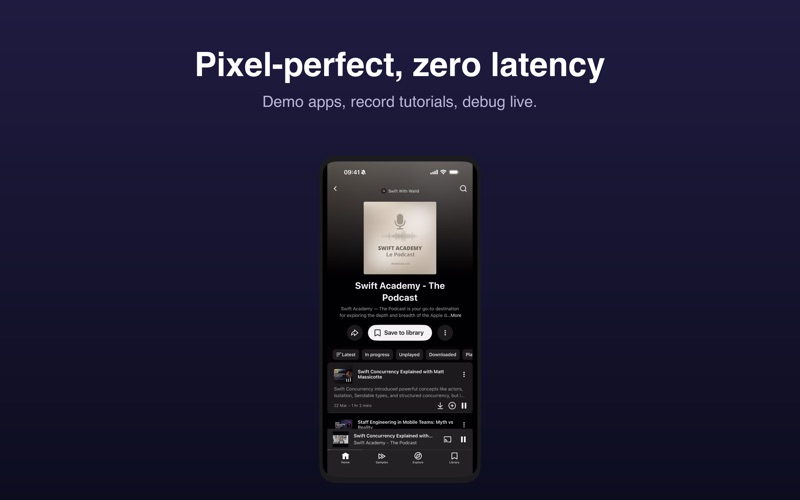
MirrorKit displays the screen of your iPhone or iPad on your Mac through a simple USB cable
MirrorKit displays the screen of your iPhone or iPad on your Mac through a simple USB cable. No Wi‑Fi, no pairing codes, no lag: the same low-latency pipeline QuickTime Player uses, wrapped in a window that looks like your device.

WHY MIRRORKIT
• Real time over USB — a wired connection means smooth video and no network setup.
• A realistic frame — MirrorKit detects your iPhone model from the video stream and draws the matching bezel and Dynamic Island. Choose black, silver or gold, or go frameless.
• Made for presentations — expand to fill the screen with a clean background, keep the window always on top, rotate to landscape with a keystroke.

CAPTURE
• Record your iPhone screen to a video file with one click or ⌘R.
• Take a snapshot with ⌘S, with the real camera shutter sound.
• Annotate live on top of the mirrored screen: pen, circles, undo, clear.
• Choose where recordings and snapshots are saved.

SEVERAL DEVICES
• Plug in more than one iPhone or iPad and switch between them from the toolbar.
• MirrorKit remembers the device you picked last time.

BUILT FOR THE MAC
• Native app, written in Swift with SwiftUI and AppKit. No Electron, no background services.
• Borderless window with its own traffic lights, hover toolbar, menu bar icon, Dock reopen.
• Full keyboard control: ⌘R record, ⌘S snapshot, ⌘T always on top, ⌘← ⌘→ rotate, ⌘0 reset zoom, A annotate.
• VoiceOver labels on every control.
• Available in English and French.

WHEN SOMETHING GOES WRONG
If an iPhone refuses to stream, MirrorKit tells you exactly what to check — restart the iPhone, unlock it, Screen Time restrictions, management profiles — instead of leaving you with a black screen.

HOW IT WORKS
MirrorKit relies on the public CoreMediaIO and AVFoundation frameworks that QuickTime Player uses for "New Movie Recording". macOS asks for camera permission because it presents the iPhone screen as a video source; MirrorKit never records or transmits anything without your action, and everything stays on your Mac.

REQUIREMENTS
• macOS 14 Sonoma or later.
• An iPhone or iPad connected with a USB cable and unlocked; tap "Trust This Computer" the first time.

MirrorKit is a one-time purchase. No subscription, no account, no tracking.