CREATORGRADE — PROFESSIONAL VIDEO EDITING AND COLOR GRADING ON IPHONE
CreatorGrade turns your iPhone into a powerful, portable post-production studio
CREATORGRADE — PROFESSIONAL VIDEO EDITING AND COLOR GRADING ON IPHONE

CreatorGrade turns your iPhone into a powerful, portable post-production studio. Organize footage, build multi-layer edits, record voiceovers, perform detailed color correction, work with ProRes RAW, and export polished videos—all from one streamlined app.

Whether you’re creating social content, short films, client projects, or cinematic mobile productions, CreatorGrade gives you the tools to take an idea from raw footage to final export.

PROFESSIONAL EDITING TOOLS

• Build complete edits with multiple video and audio tracks
• Arrange clips across V1 and V2 video layers
• Work with linked audio on dedicated A1 and A2 tracks
• Trim, split, move, resize, and reposition clips
• Mix videos, still images, titles, music, and voiceovers
• Scrub through your timeline with responsive visual previews
• Add and edit multiple titles throughout a project
• Preview your work in a clean, full-screen player
• Organize projects and keep every production easy to find

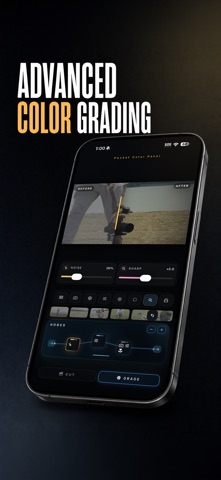
ADVANCED COLOR GRADING

CreatorGrade includes a node-based grading workflow designed for both quick corrections and more advanced creative looks.

• Adjust exposure, contrast, shadows, highlights, saturation, hue, temperature, and tint
• Balance footage with professional lift, gamma, and gain color wheels
• Refine individual color channels with Color Mix controls
• Apply LUTs and color space transforms
• Build grades across multiple adjustable nodes
• Compare graded and ungraded footage with a live before-and-after viewer
• Preview color adjustments during playback
• Maintain consistent color across supported H.264, HEVC, ProRes, and RAW workflows

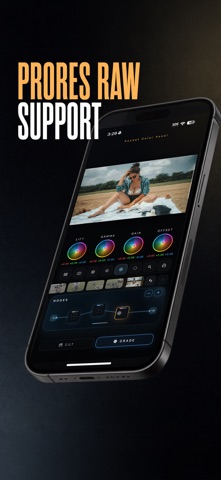
PRORES RAW SUPPORT

Work with supported ProRes RAW footage directly on iPhone and begin with a neutral, flexible image ready for grading.

• Read supported camera metadata
• Adjust RAW white balance, ISO, and tint
• Combine RAW adjustments with LUTs, color space transforms, and additional grading nodes
• Preserve your grading pipeline from preview through export

MULTITRACK AUDIO AND VOICEOVER

Sound is part of the edit—not an afterthought.

• Record voiceovers directly into your project
• Add music and external audio files
• Work with multiple audio tracks
• View audio waveforms directly on the timeline
• Keep source audio linked to its video clip
• Relink missing music and media files when needed

FLEXIBLE EXPORT OPTIONS

Choose exactly what you want to deliver.

• Export a complete edited sequence
• Export individual clips
• Render videos with titles, grading, transforms, crops, and positioning intact
• Save finished videos to Photos
• Create deliverables for social media, client review, or further post-production

DESIGNED FOR MOBILE CREATORS

CreatorGrade is built specifically for a touch-first workflow. Pinch to resize footage, drag to reposition it, use alignment guides for precise composition, and move naturally between editing and grading without leaving your project.

No desktop required. No watered-down workflow. Just serious editing and color tools built for creators who want to work anywhere.

Some professional media formats and features require compatible iPhone hardware, supported source files, and sufficient available storage. ProRes RAW availability depends on device and media compatibility.